
Guest Loyalty and Profile Discounts
Clock allows you to use discount codes in guest profiles to manage discounts for regular guests and build a discount-based loyalty program for direct bookings through the Web Booking Engine (WBE).
The same discount codes can be used when staff create bookings for returning guests through Rate and Availability and when guests identify themselves in the WBE.
This provides a consistent way to:
Offer discounts to regular guests;
Encourage guests to register when booking directly;
Apply existing guest benefits when they return to the WBE;
Manage a common loyalty structure across multiple hotels while defining different discounts for each property.
How Discount Codes and Discounts Work
Discounts are organised on two levels: Discount Codes and Discounts.
A Discount Code identifies the discount arrangement. Examples include:
GoldMemberDiscount-5Level1
The code itself does not determine the amount of the discount.
A Discount determines what the code actually does for a particular hotel. It defines:
Which revenue groups are discounted;
The discount percentage.
This separation allows the same discount code to be used across multiple hotels while applying different conditions at each property.
For example, a guest profile can have the Level1 code. One hotel may configure this code to provide a certain discount, while another hotel may configure a different percentage or different applicable revenue groups.
If a hotel has no discount configured for a particular code, that code does not provide a discount at that hotel.
For more information about configuring discounts, see Discount Codes and Discount Codes in Company, Event, and Booking.
Discount Codes in Guest Profiles
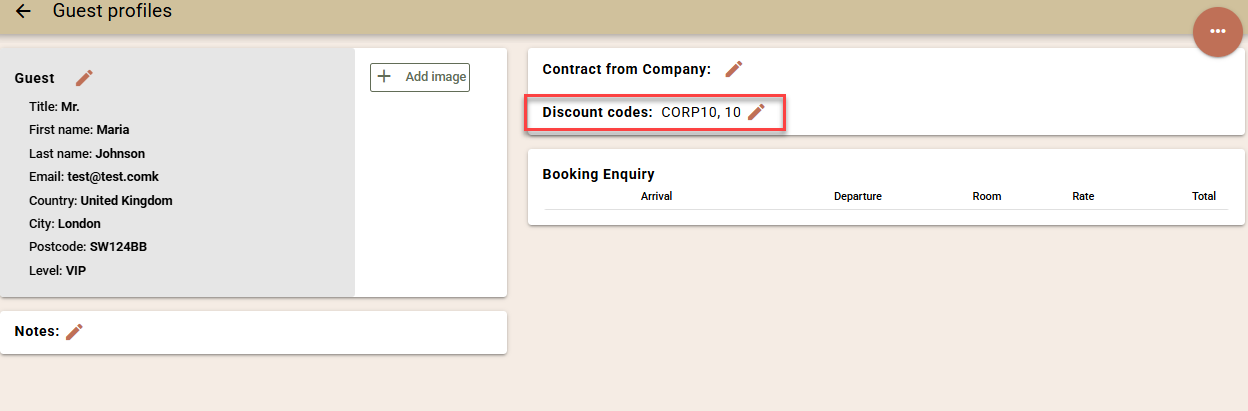
One or more discount codes can be assigned directly to a guest profile.
To access guest profiles, go to:
Navigation -> Bookings -> Guest Profiles
Open the respective profile and add the applicable discount codes.
Using a Guest Profile in Rate and Availability
To apply the guest's profile when creating a booking:
Open Rate and Availability.
For Customer type, select Repeater.
Select the respective guest profile.
The discount codes associated with the selected profile are shown in the notes field.
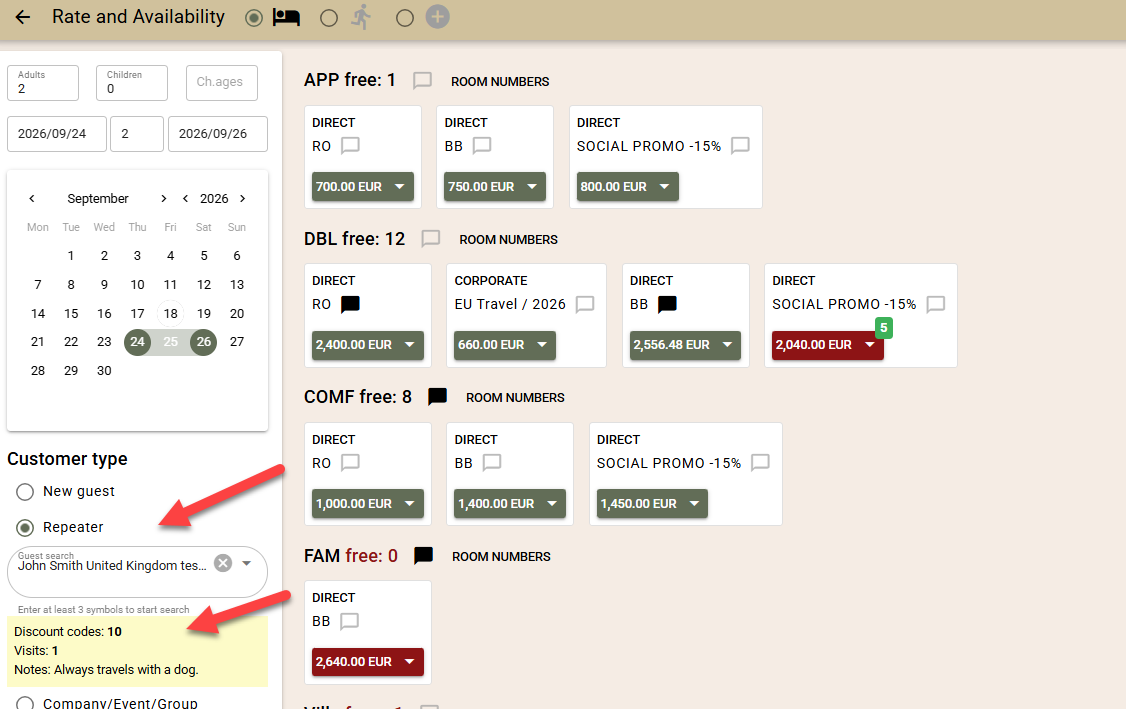
The displayed product/rate prices themselves do not change. They continue to show the prices configured for the respective rates.
When you add a product to the cart, the applicable discount from the guest profile is transferred to the corresponding cart line.
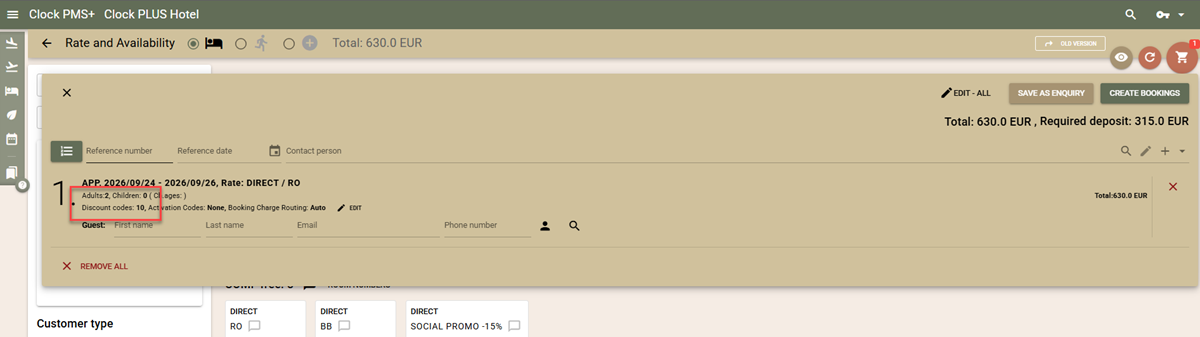
The discount is then reflected in:
The price of the cart item;
The total price of the bookings;
The required deposit.
The resulting final price displayed in the cart can therefore be communicated to the guest.
If the discount should not be used for a particular cart item, open the cart and select Edit next to the respective line to remove it.
When the cart is completed, the discount is transferred to the booking and subsequently applies to its folios.
Customer Loyalty in the WBE
The WBE can use guest profile discount codes as a customer loyalty mechanism for direct bookings.
There are two main scenarios:
New guests can register through the WBE and automatically receive predefined discount codes.
Existing guests can log in and use the discount codes already associated with their guest profiles.
This allows guests to receive applicable direct-booking benefits without changing the standard rates displayed in the WBE.
Configuring Discount Codes for New Registrations
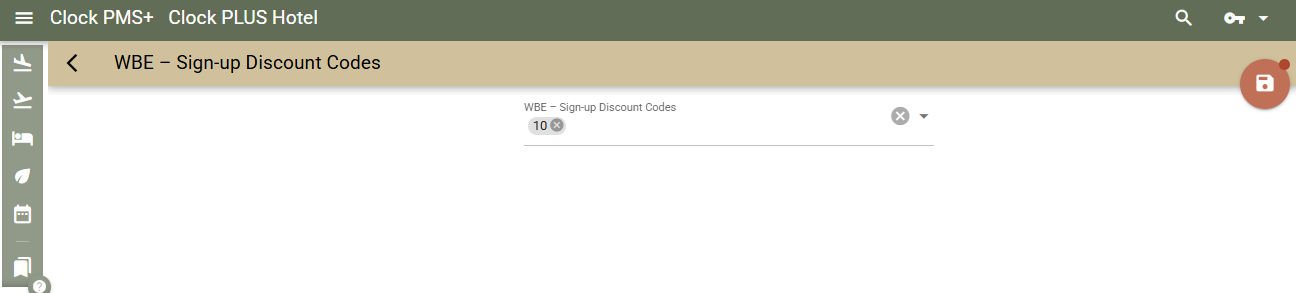
You can determine which discount codes should automatically be assigned to guests who register through the WBE.
Go to:
Settings -> All Settings -> Guest Profiles -> WBE - Sign-up Discount codes
Add the discount codes that should be assigned to newly registered guests.
When these codes are configured, the WBE displays a promotional banner informing visitors that they can receive a discount by registering.
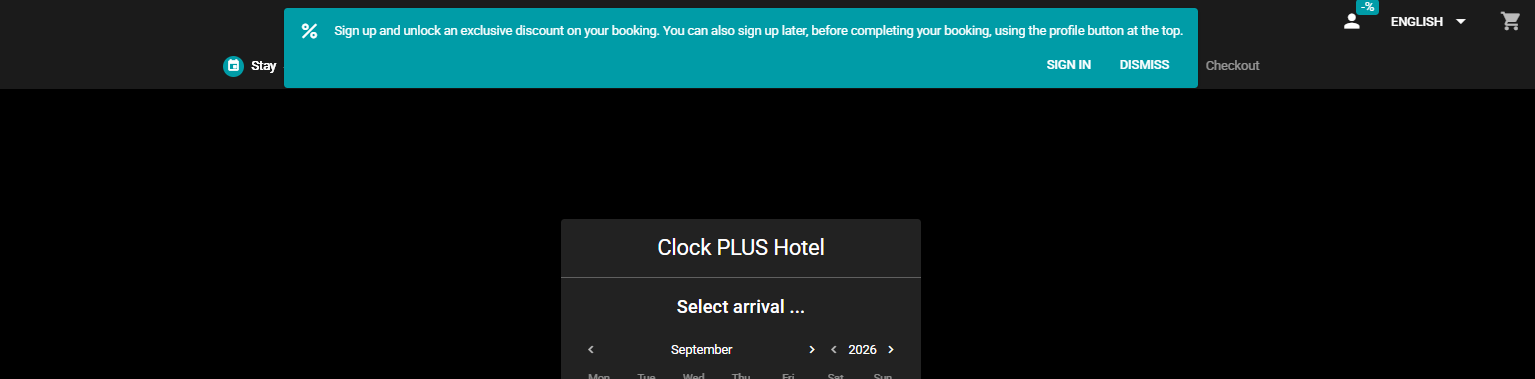
The text displayed in the banner can be customised through:
Settings -> App Translations
Guests can start the registration process either from this banner or through the login icon at the top of the WBE
The login screen also contains a link where you can provide more information about the conditions of your loyalty program. This text can also be customised through Settings -> App Translations.
How Registration Discounts Are Applied
When a guest completes registration, the configured WBE - Sign-up Discount codes are saved to their guest profile and become applicable immediately.
The standard rate prices displayed while browsing the WBE do not change.
Instead, the WBE informs the logged-in guest that their discount codes will be applied at the final step. The final booking step displays the discounted prices and the actual amount the guest will need to pay.
Guests can also register after they have already added products to their cart.
After registration, applicable discounts are applied both to:
Products already present in the cart;
Products subsequently added to the cart.
Logging In with an Existing Guest Profile
Guests do not need to create and remember a separate username and password for the WBE.
They can identify themselves using either:
Google profile – the guest uses their Google account to log in.
Email verification – the guest enters their email address and name. A verification code is sent to the provided email address, which the guest enters in the WBE to complete the login.
Once logged in, the guest is remembered on the device they are using, so they do not need to log in again on subsequent visits from the same device.
Any applicable discount codes associated with their guest profile are applied at the final step of the WBE. The guest can then see the discounted prices and the total amount to be paid.
Combining profile discounts with other codes
In addition to discount codes attached to Guest Profiles, WBE also supports other codes for activating preferential rates –Bonus codes, Corporate codes, Block codes and Event codes.
When any of these inventory codes is used during a booking, it has priority over discounts from the guest’s profile. In such cases, discounts from the profile are not applied additionally.
Example: If the guest uses a bonus code, the rates from the relevant promotional rate apply, without any additional discount from their account. The same rule applies to rates linked to a company or event.
Using Guest Loyalty Across Multiple Hotels
Guest loyalty is designed to work across hotels within the same Clock subscription.
Guest profiles are shared at subscription level. Therefore, the discount codes stored in a guest profile are also shared across the hotels in the subscription.
This does not mean that a guest automatically receives the same discount - or any discount - at every hotel.
The actual benefit depends on how each hotel has configured its discounts for the respective code.
For example, a profile may contain the GoldMember code:
Hotel A can configure
GoldMemberto provide one discount;Hotel B can configure it with a different percentage or applicable revenue groups;
Hotel C can have no discount configured for
GoldMember, in which case the code provides no discount there.
For hotel groups, it is therefore recommended to:
Establish a common discount-code structure. Define codes that can be recognised and understood across the hotels in the subscription.
Configure WBE registration codes. Determine which codes should be assigned through WBE - Sign-up Discount codes.
Configure discounts per hotel. Each hotel can determine what discount, if any, each code provides.
This allows the guest loyalty structure to remain consistent across the subscription while individual hotels retain control over their actual discount conditions.
Special Considerations
Routing Instructions
Discounts require additional consideration when charges are transferred between folios.
Discount codes associated with a booking apply discounts to the folios of that specific booking.
The final price displayed in Rate and Availability therefore represents the scenario in which the booking pays its own charges.
If charges are transferred to another folio, either manually or automatically through a routing instruction, the destination folio does not automatically inherit the booking's discount.
Depending on the destination folio, transferred charges may:
Receive no discount; or
Receive a different applicable discount.
As a result, when routing is used, the final amount charged can differ from the price initially displayed in Rate and Availability.
Booking Enquiries
Discount codes do not provide an additional discount to prices booked through an enquiry sent to the guest.
When a guest opens an offer and completes the booking through the WBE, the price specified in the offer remains unchanged.
This applies even when:
The guest logs in with a profile containing discount codes; or
The guest registers for the loyalty program while completing the offer.
The offer price therefore takes precedence and no additional profile or registration discount is applied.