
Breakfast VAT Split for Food and Beverages
Introduction
This article explains how breakfast charges can be split into separate food and beverage components when different VAT rates apply. This applies when breakfast is sold as an extra service and is not part of a package or accommodation rate.
Why Is the Breakfast Split Required?
In some jurisdictions, food and beverages may be subject to different VAT rates. To ensure correct tax handling, breakfast sold as an additional service may need to be posted to the folio as two separate charges:
- Food portion, using the applicable VAT rate for food
Beverage portion, using the applicable VAT rate for beverages
How This Affects Breakfast Charges
This means that the breakfast service offered as an extra can be split into two separate components on the folio:
- Food portion
Beverage portion
Automatic Split in Clock
Clock can automatically perform this split whenever breakfast is booked as an extra service.
Instead of posting a single breakfast charge, the system automatically creates two separate folio entries:
- Food portion with the configured VAT rate
Beverage portion with the configured VAT rate
When Is the Process Triggered?
This process is applied whenever the breakfast service is booked as an extra using one of the following methods:
- through the Booking Engine
through the Guest Portal
by the hotel staff in the "Rates & Availability" section (see Image A)
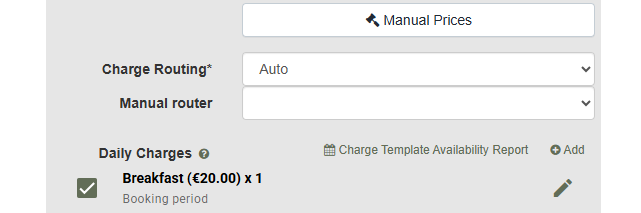
in the "Daily Charges" section within the reservation (see Image B)
Image A.
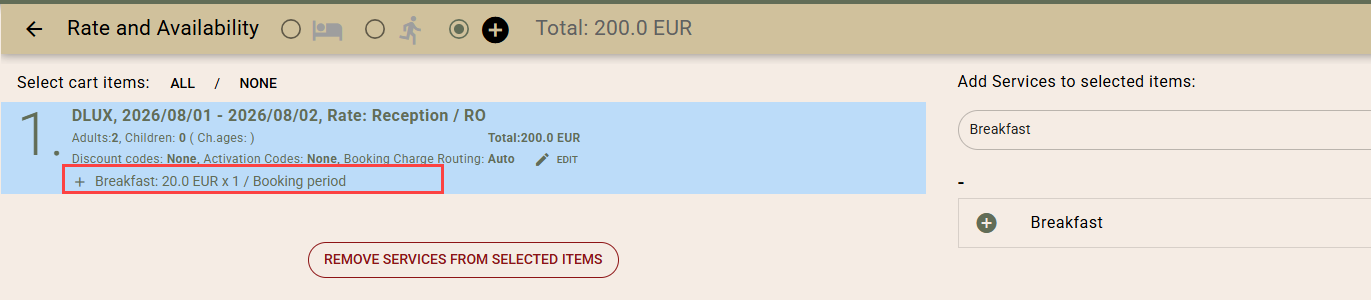
Image B.
System Setup
If you would like to enable this functionality in your hotel, please follow the steps below.
1. Create Service Templates
You will need three service templates:
Breakfast - Main Service
- Total price of the breakfast service
This service is available for sale

Breakfast Components
- Breakfast - Beverages, using the applicable VAT rate for beverages
Breakfast - Food, using the applicable VAT rate for food
Configured with the appropriate price split
Neither component should be available for online booking

2. Enable the App Connector
Enable the following App Connector:
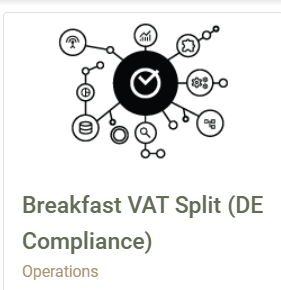
- Breakfast VAT Split
Category: Operations
Path: Settings → App Connector
Completion & Support
Once the connector has been enabled, our team will complete the required configuration and notify you as soon as everything has been set up in your account.
If you have any questions, please feel free to contact our Support team at any time.