
The "Corporate Guests" feature allows you to link guest profiles to companies so that they can benefit from the rates agreed with the respective company.
Thanks to this link, when selecting a corporate guest while creating a booking, the system automatically populates the respective company and applies the rates from its company contract.
How to add a corporate guest?
You can link a guest to a company in two ways:
- From the guest profile – by selecting the company you want to link them to.
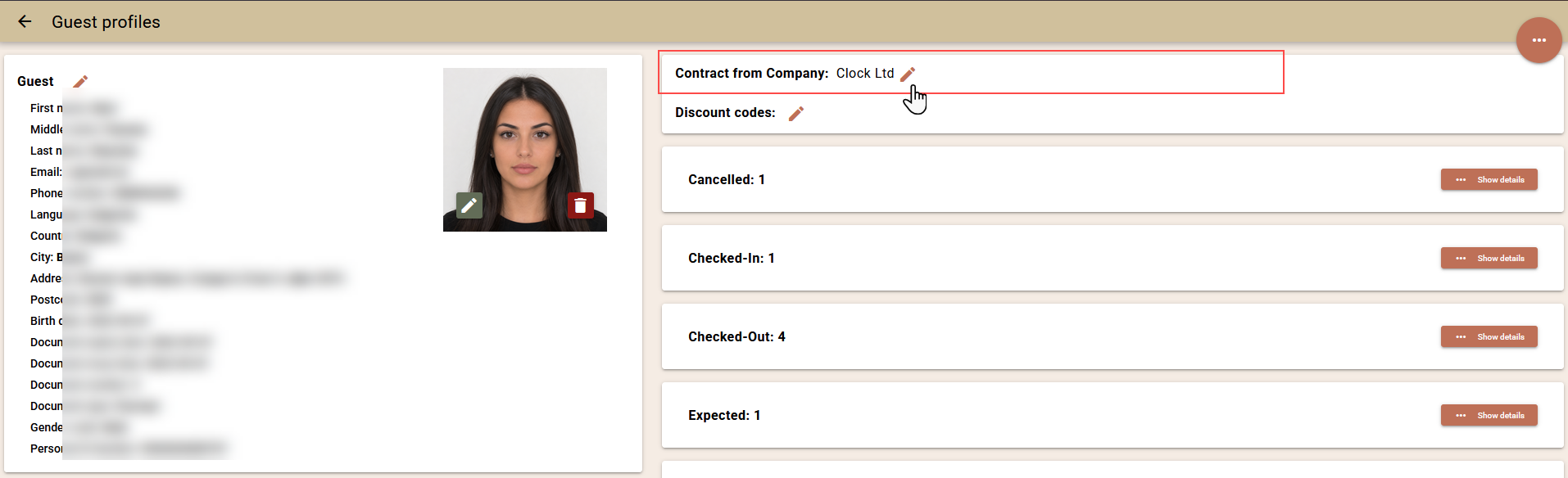
- From the company profile – in the "Corporate Guests" section, where you can view and edit the guest profiles linked to the company.
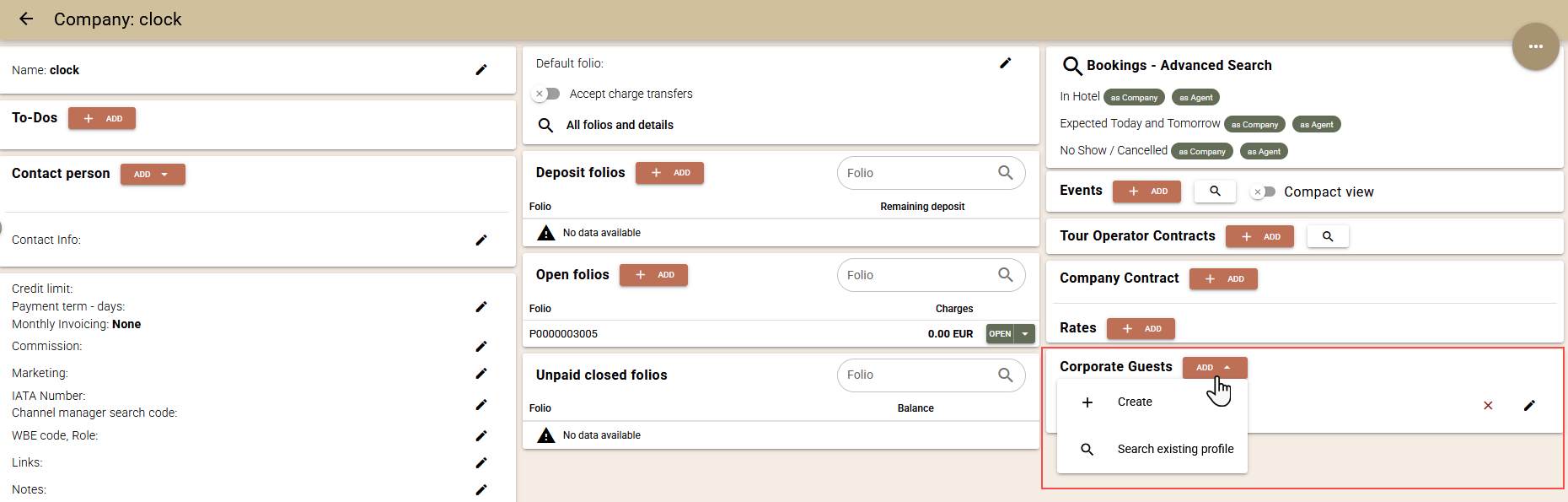
You can manage the link between the guest and the company from either of the two screens, depending on which is more convenient for you.
Using corporate guests
When creating a booking via the "Rate and Availability" screen and selecting a corporate guest profile in the "Repeater" field, the system automatically loads the rates from the linked company's company contract.
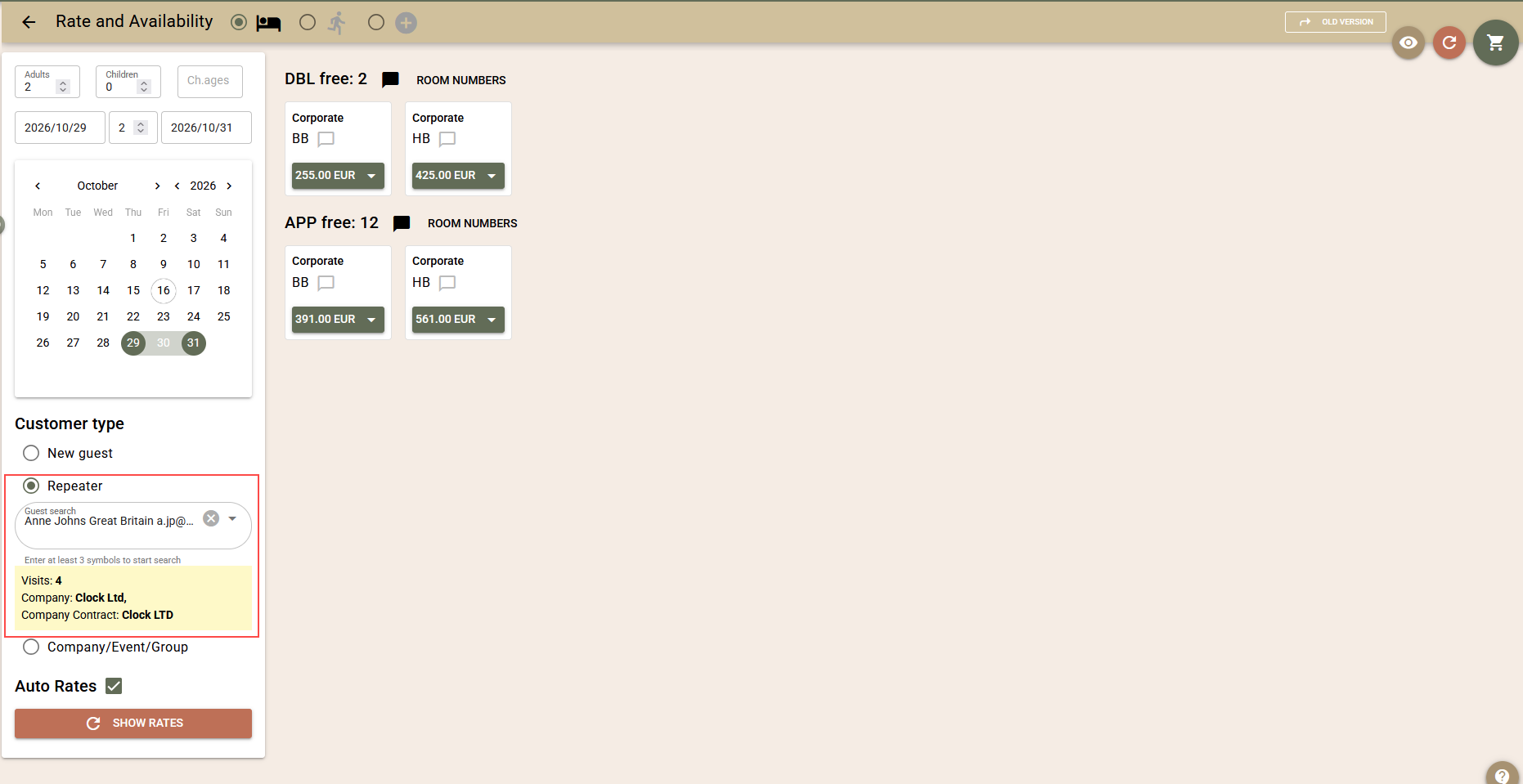
Upon creating the booking, the company is automatically linked to it and the system applies the conditions of the company contract – rates and charge routing rules.
This streamlines the processing of corporate bookings and reduces the need for manual data entry.