
The Daily Meal Usage function allows you to record meal consumption and compare the number of meals requested with the number of meals actually consumed. The information can be used to monitor attendance, support food planning, and analyze meal consumption through reporting.
Important
The Daily Meal Usage function is currently accessible only through the PMS. POS users who need to use the function must be given the following access permission to use the functionality:
- Access to the relevant hotel(s).
- The Daily Meal Usage Access user right - this user right limits access only to the functionality
Once logged into the PMS, users can open the function from Other Functionalities -> Daily Meal Usage and bookmark the page in their browser for quicker access in the future.
This is a temporary arrangement. Direct access to the Daily Meal Usage function will be added to the POS in a future update.
PMS users need the user right to access the functionality as well.
Recording Meal Consumption
Select the following information:
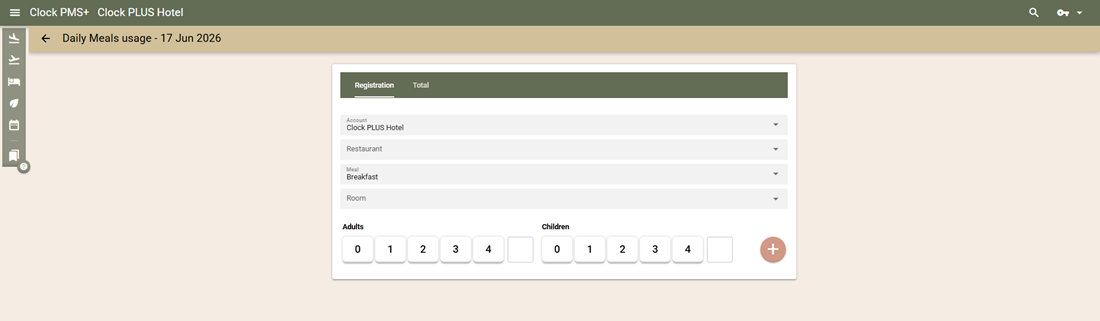
- Account – choose a hotel from the list of hotels available to the current user.
- Restaurant – select a restaurant if multiple restaurants are configured. If restaurants are not used separately, leave the field blank.
- Meal – select the meal for which consumption will be recorded.
Consumption can be registered in two ways.
Recording Consumption by Room
Use this option when guests provide their room number.
- Enter part of the room number or guest name.
- Select the room from the list.
- Review the displayed information:
- Number of guests entitled to the selected meal.
- Previously registered consumption for the room.
- Assigned restaurant (if restaurant allocation is used).
- Adjust the number of guests entering the restaurant if necessary.
- Select the + button to register consumption.
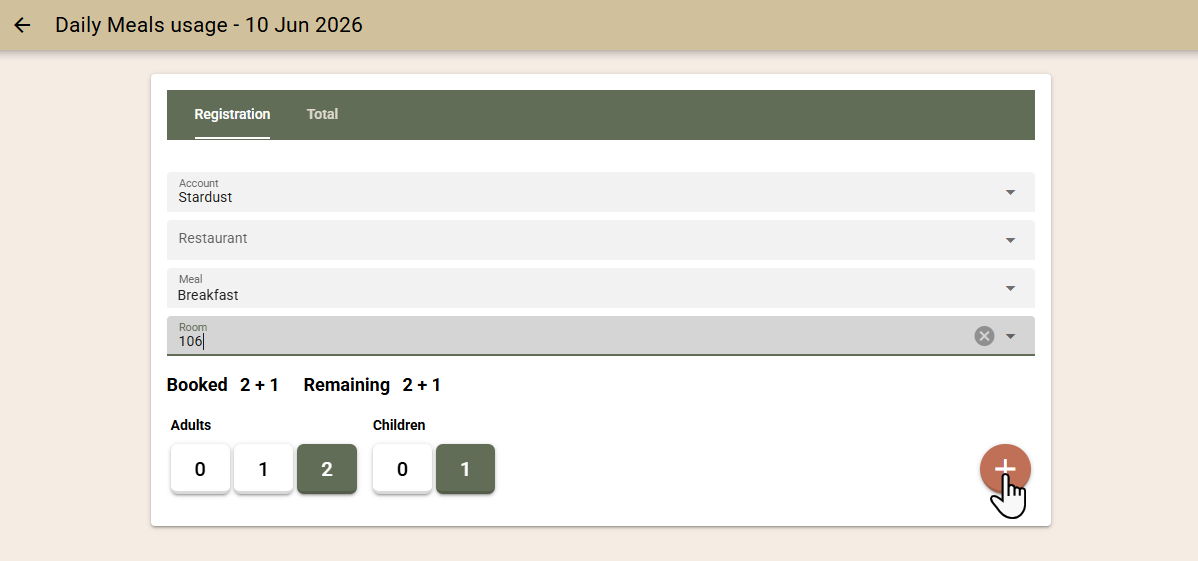
The system suggests the number of guests associated with the booking by default.
Recording Consumption Without a Room Number
Use this option when you do not want to ask guests for their room number.
- Select the number of guests entering the restaurant using the quick-selection buttons.
- If the number exceeds the available quick-selection options, enter the value manually.
- Select the + button to register consumption.
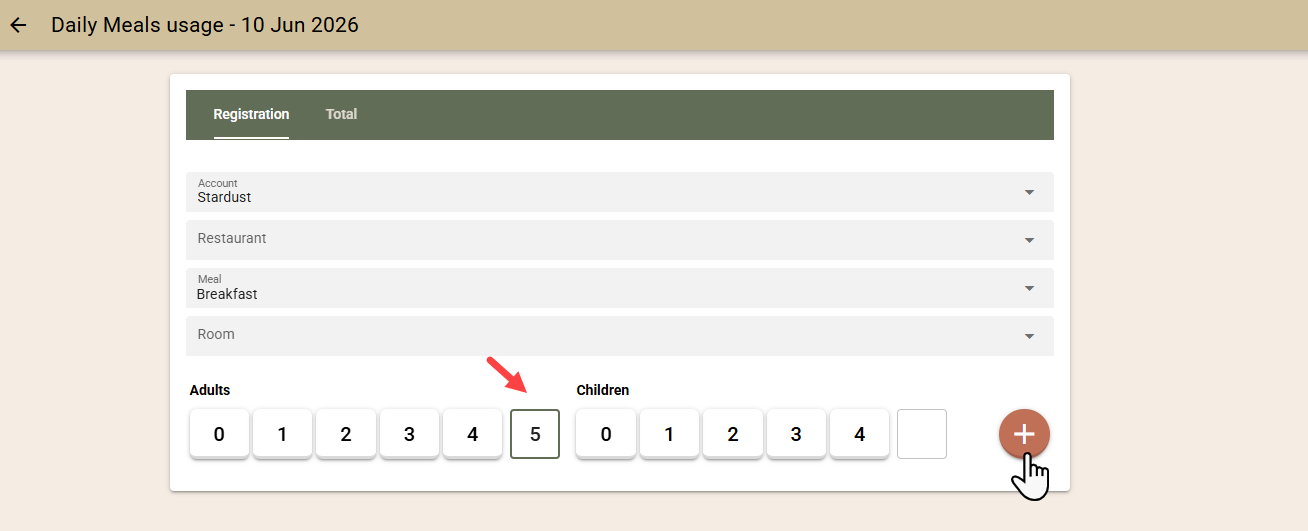
Consumption is recorded as a guest count only and is not linked to a specific room.
Monitoring Meal Attendance
Open the Total tab to view summary information for the selected hotel, restaurant, and meal.
The screen displays:
- Total number of guests entitled to the selected meal.
- Number of guests already registered as attending.
- Number of guests who have not yet been registered.
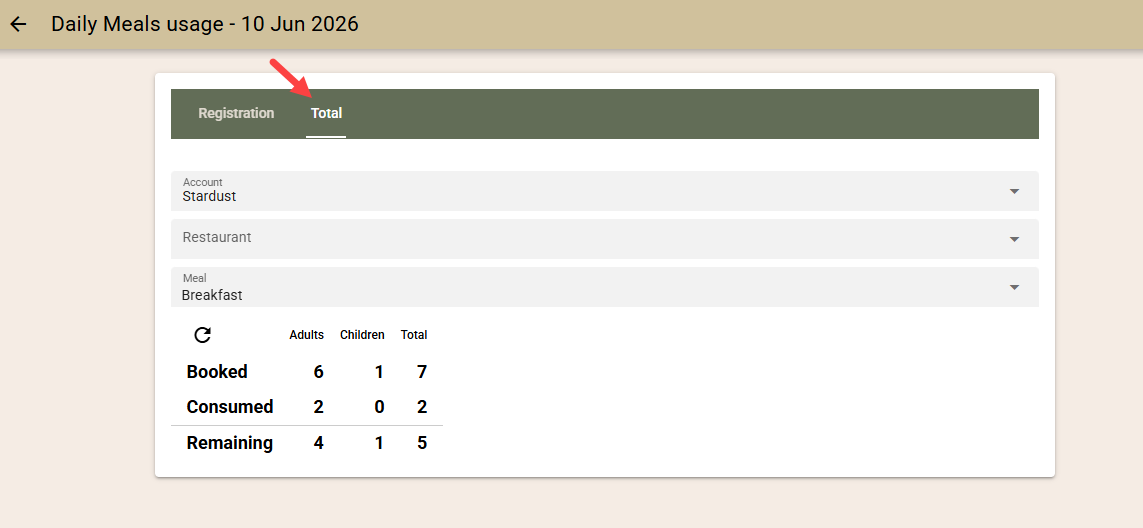
Use the Refresh button to update the information with the latest data.
This information can assist with meal planning, staffing, and food preparation throughout the service period.
Meal Summary Reporting
Meal consumption data is available through the Meal Summary Report.
The report provides information for selected dates and periods, including:
- Requested meals.
- Actually consumed meals.
- Comparison between planned and consumed meal quantities.
This information can be used to analyze meal attendance trends and support operational planning.