
Clock PMS allows you to easily duplicate the bookings in the system. You can create copies of an existing booking, simply follow the steps:
- Locate the booking and open it for edit;
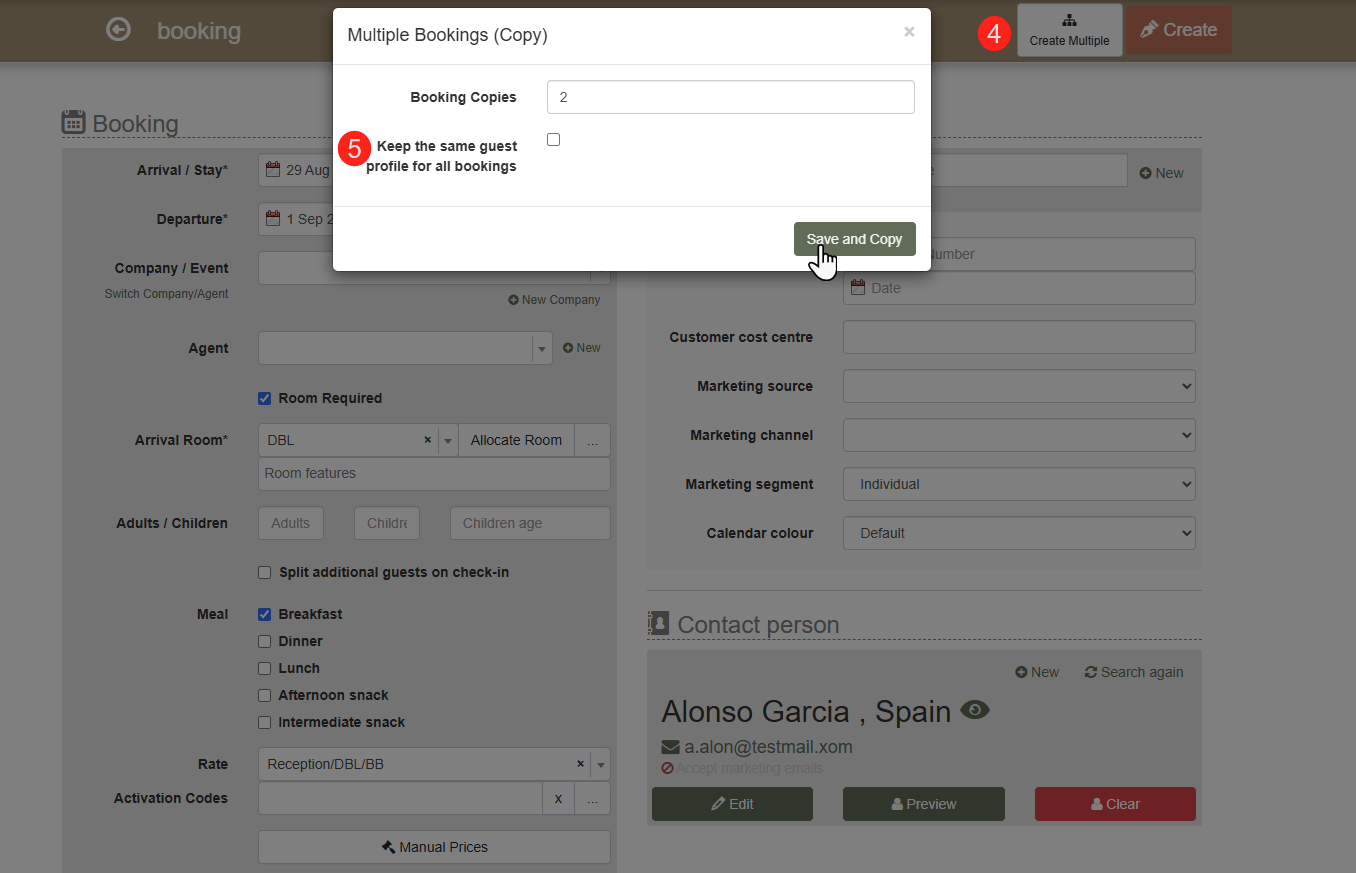
- Click the “Save as Multiple” (4) button;
- Enter the number of copies you wish to create;
- Keep the same guest profile for all bookings (5)- tick the checkbox ONLY if you want the copies to be related to the same guest profile. Otherwise, for each booking, the system will create a copy of the guest profile;
- Save through the “Save and Copy” button.
After creating the copies, you can open them in Advanced Search to review and edit them if needed.
Note: All copies are created with the “Expected" status. Each of the copies gets a reference number coinciding with the number of the booking being copied. This way the original booking and its copies are in a common group.