
The "Petty cash" feature allows you to monitor business cash flows and total cash on hand. Payments reflected in the folio track only customer payments. This functionality is intended for recording cash movements outside of hotel accounts – for example, loading the cash register with working capital, withdrawing amounts for internal expenses, etc.
Recording funds in the cash register
- From the navigation menu, select Other functionalities→Petty cash;
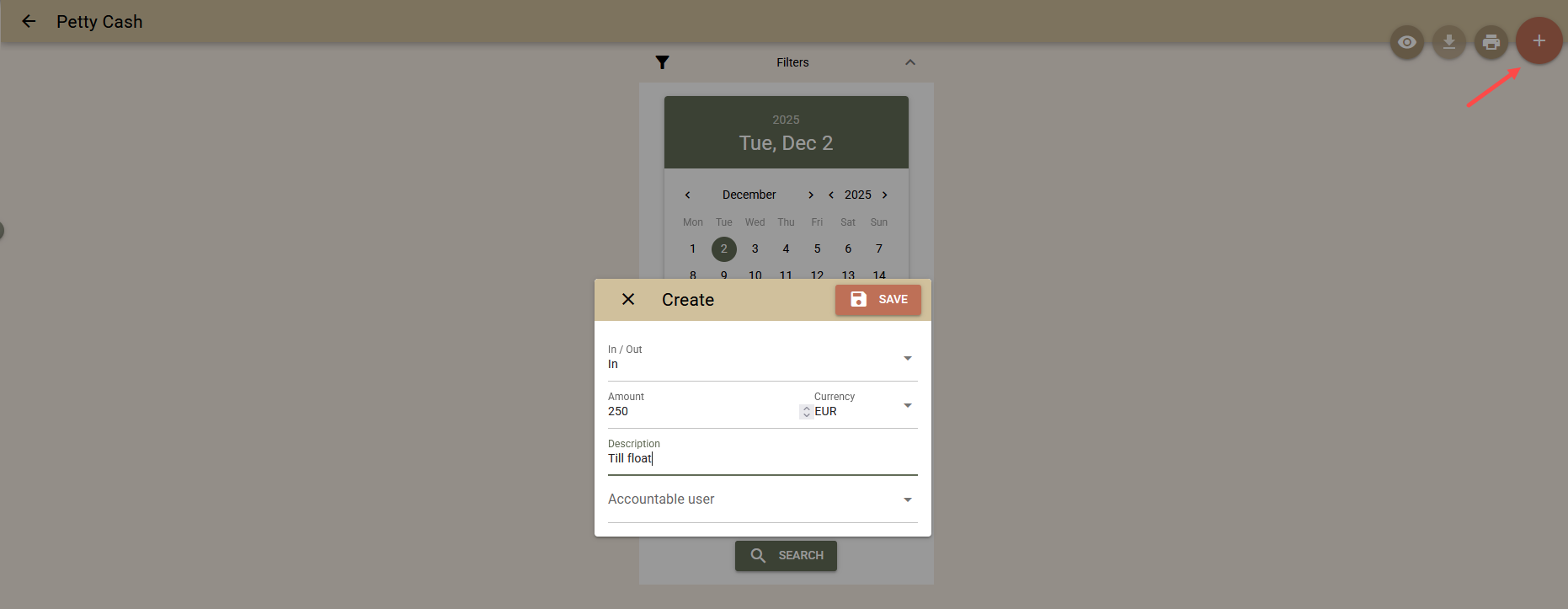
- Select the "+" button in the upper right corner;
- Fill in the form:
- Type of transaction – select "In" or "Out";
- Amount – enter the value of the transaction;
- Description – optionally, add an explanation for greater clarity.
- Accountable user – if left blank, the transaction will be recorded in your name. You can specify another person if necessary.
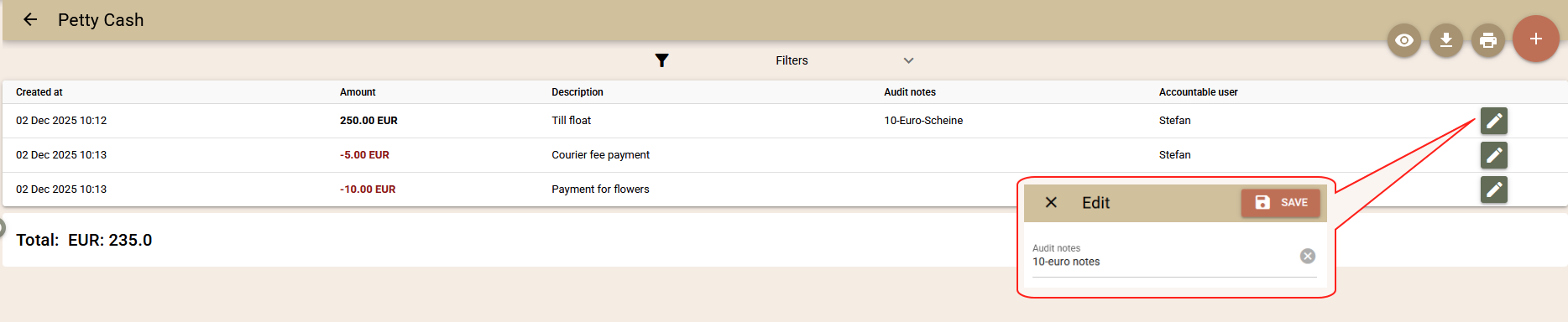
All transactions are recorded chronologically and cannot be edited or deleted. If a correction is necessary, a new entry is made with the same value but with the opposite sign. All amounts are reflected on the current financial date and are included in the total cash transactions.
- Audit notes. Each transaction has a description field that once created, cannot be edited afterwards. Additionally, there is an "Audit notes" field, which can be edited at any time – for internal comments, explanations, or audit notes.
Cash register balance
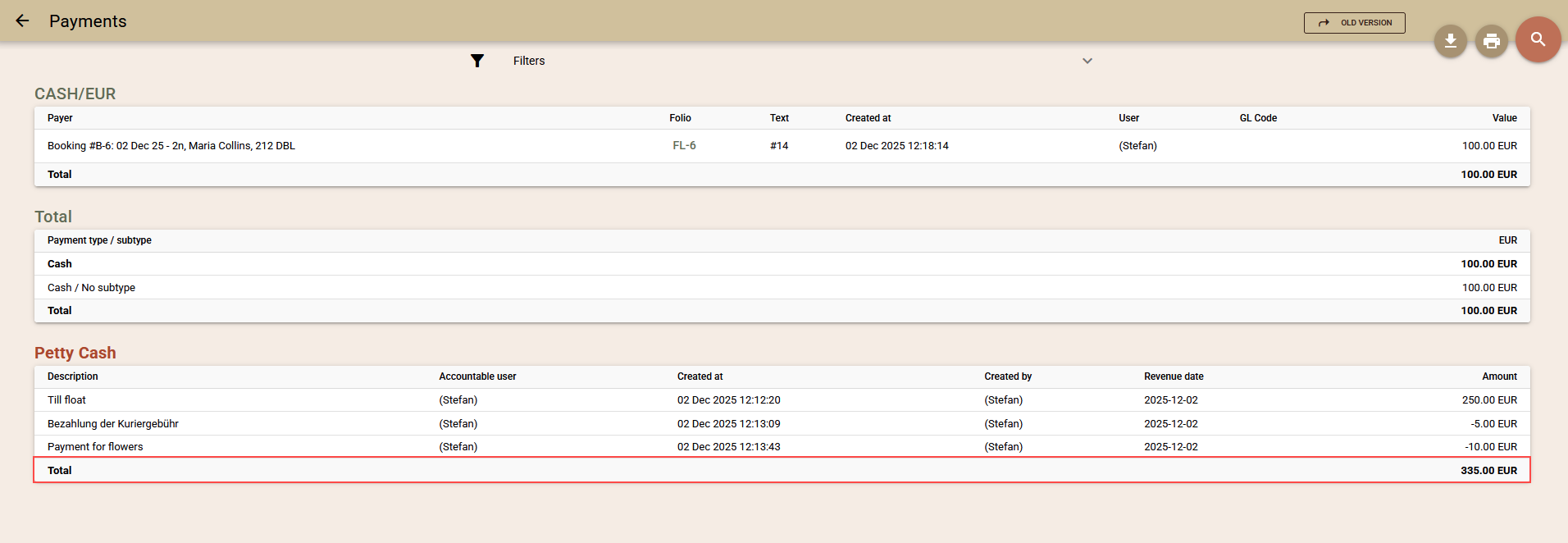
Cash register entries are reflected in the "Payments" report, taking into account the specified filters for period and user. They are displayed at the end of the report, with a total for each currency. The total includes cash payments on the folio + cash register.
User rights
Access to the function is on two levels – for users and auditors:
- Petty cash - allows you to register transactions only in your own name.
- Petty cash - Audit - allows you to register transactions both in your own name and in someone else's name. That is, if you are a cashier and transfer funds to another person, you can indicate the other person as the recipient of the funds. This way, the system will retain clear information about both users.