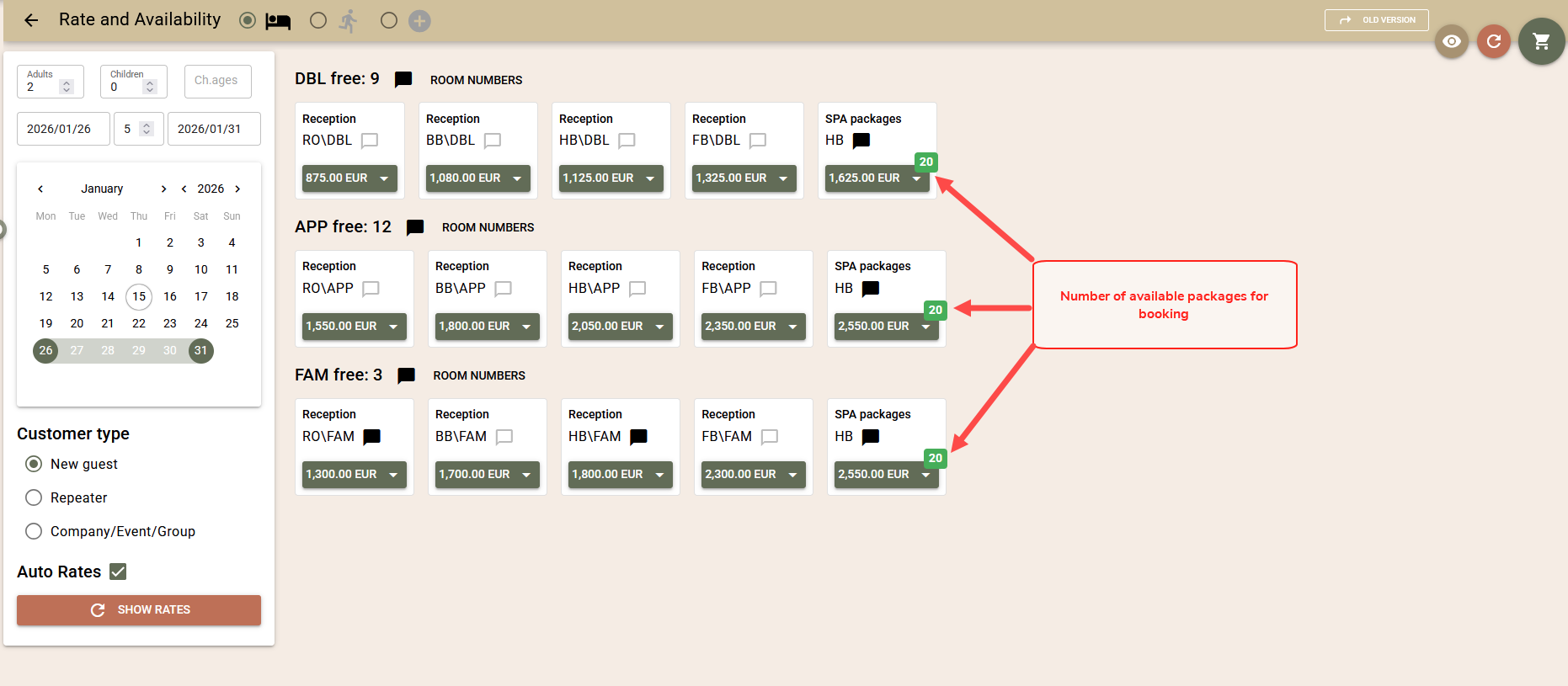
This article describes the advanced features of the „Rate and Availability“ screen, which provide greater flexibility when working with different rates, manual prices, and information visualisation.
Rate Selection
By default, room prices for the searched period are calculated based on rates automatically selected by the system, depending on the client type:
- Individual guest – rates from the „Favourite rates“ list are used;
- Company – rates from the Company contract are used, if available. If there is no contract, preferred rates apply;
- Block – it is first checked for rates or manual prices set in the block. If there are none, a valid contract with the Company is checked, and if there is no contract either, the rates marked as preferred are used.
In addition to automatic selection, you have the option to manually select which rates to use for calculating prices for a specific search:
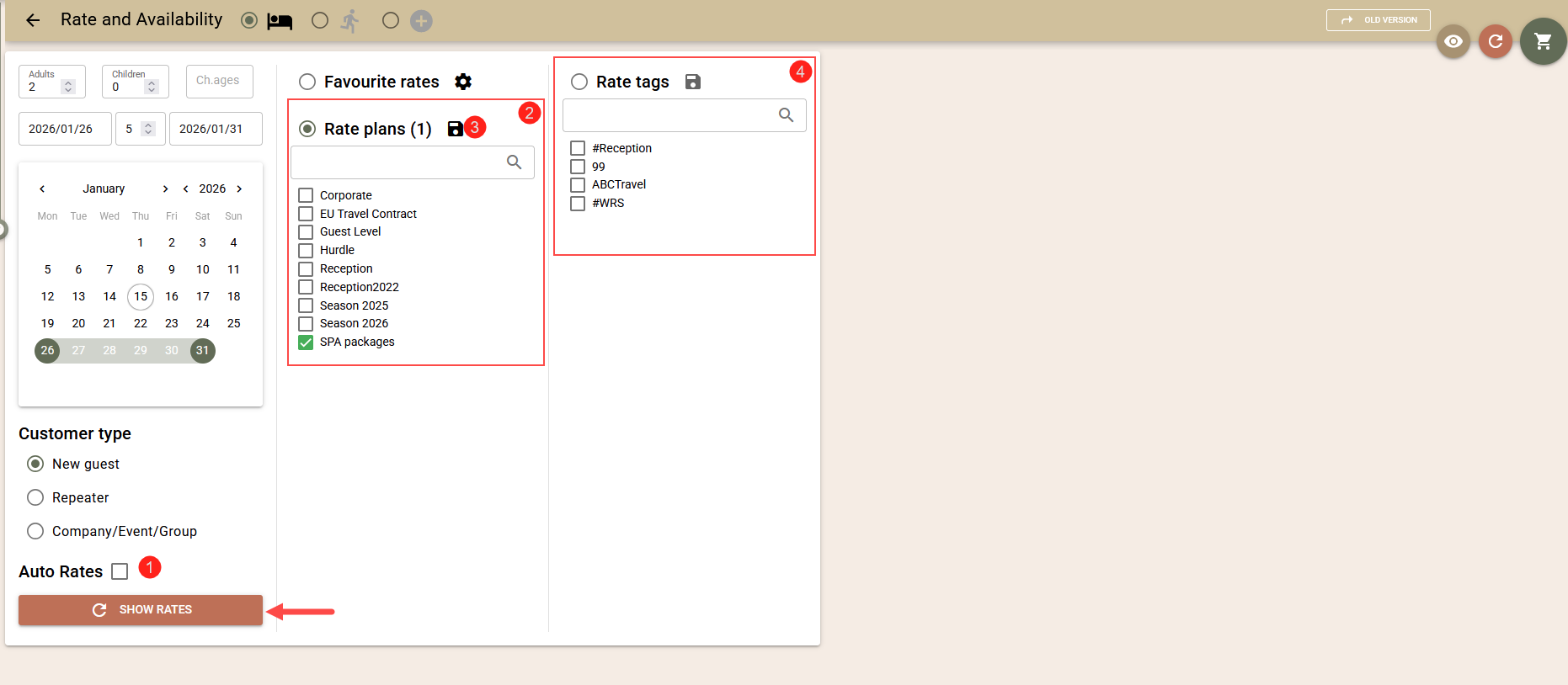
- Turn off the „Auto rates“ setting(1);
- A screen with two options will open – selection by rate plan (2) or by rate tag (4);
- Optionally, you can save (3) the currently selected plans or tags so that they are automatically marked for the next search;
- Start calculating prices by clicking the „Show rates“ button.
Add More Bookings with One Click
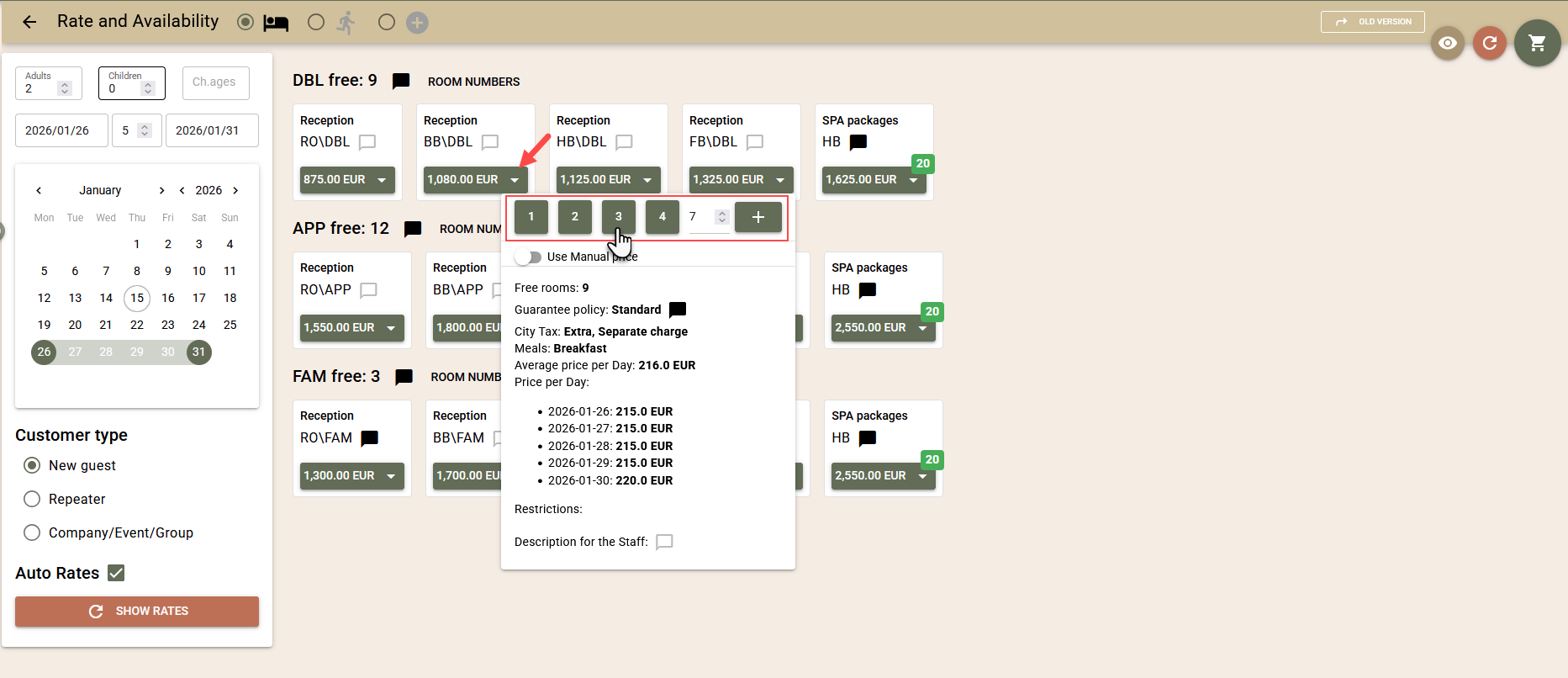
By default, one click on the product price adds one booking to the cart. To add multiple bookings at once for one product:
- Click on the arrow next to the price of the respective product;
- In the upper part of the window, you will see buttons with numbers from 1 to 4. Click on the corresponding number to add that many bookings to the cart;
- For a different number, enter the desired number in the empty field at the end of the line and confirm with the „+“ button.
Manual Price
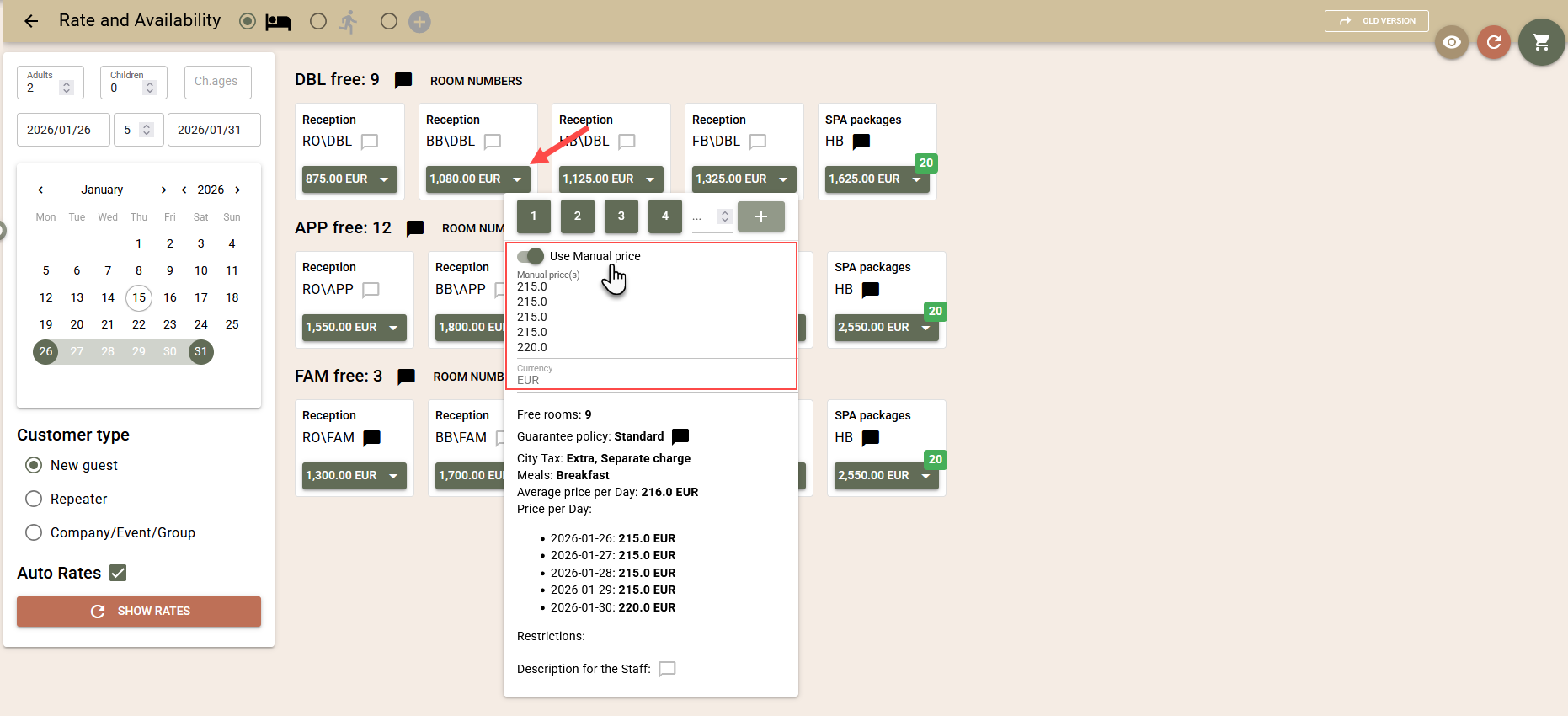
Before adding a product to the cart, you can modify the price calculated by the rate by replacing it with a manually entered price:
- Click on the arrow next to the price of the respective product;
- In the window, activate the „Use Manual Price“ option;
- The system will display the daily price for each day of the stay, calculated by the rate;
- Enter a new price for each day and add the bookings to the cart using the button indicating their number.
Booking Specific Room Numbers
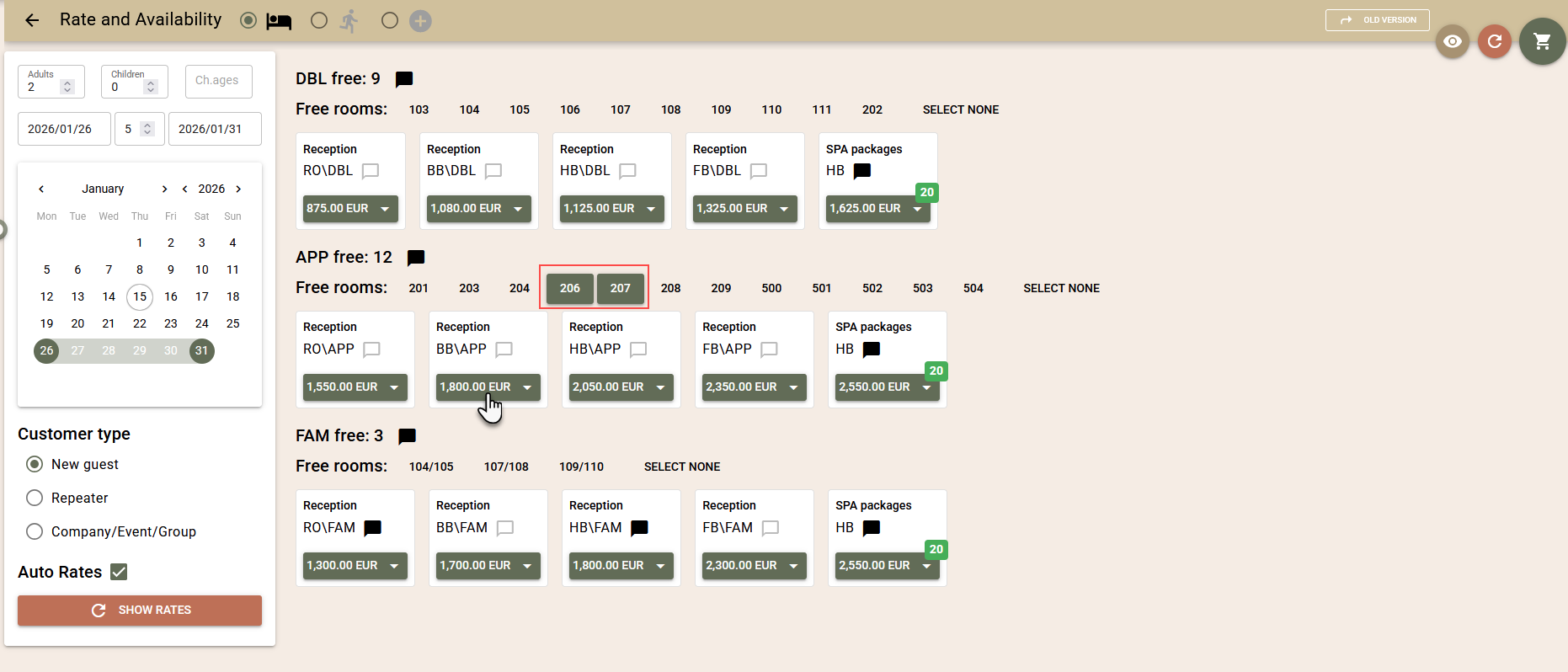
In addition to booking by room type, you can also book specific room numbers.
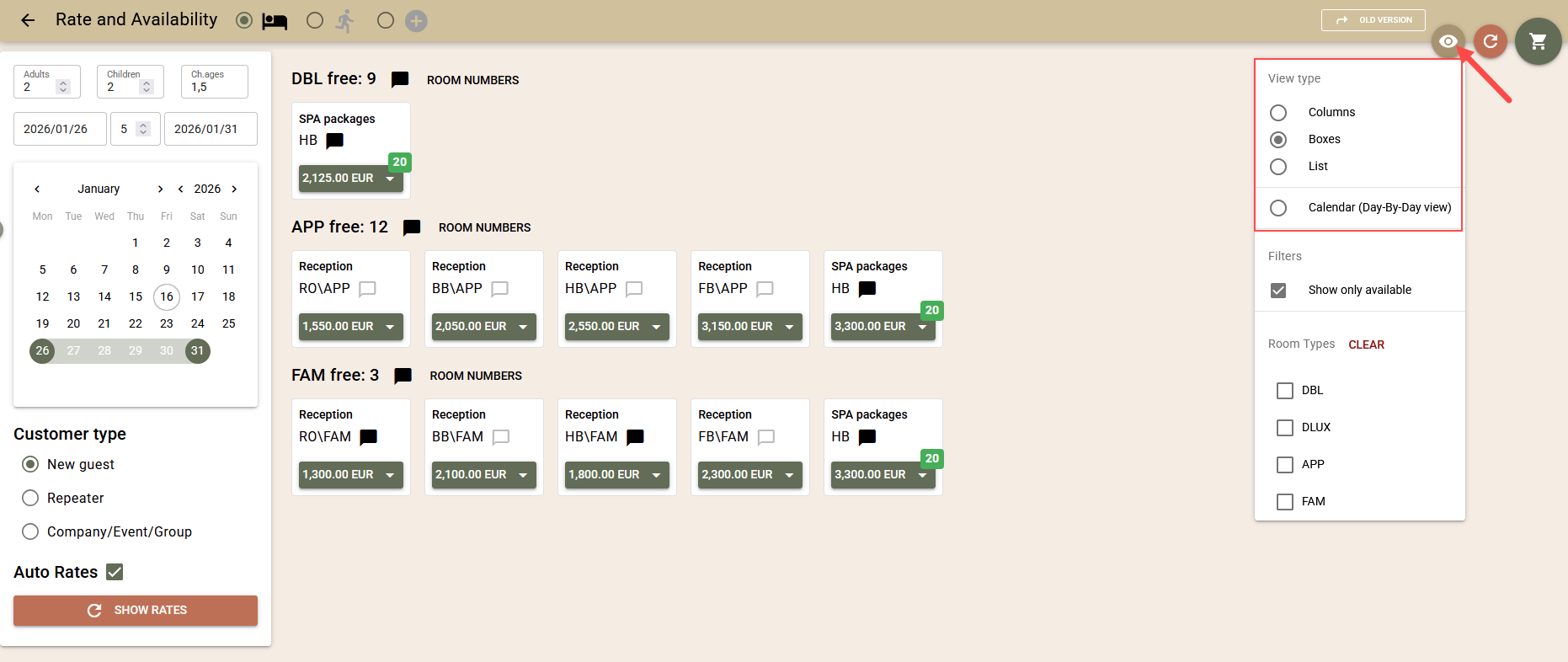
- After loading the products on the screen, select the „Room Numbers“ button to see available rooms of the given type;
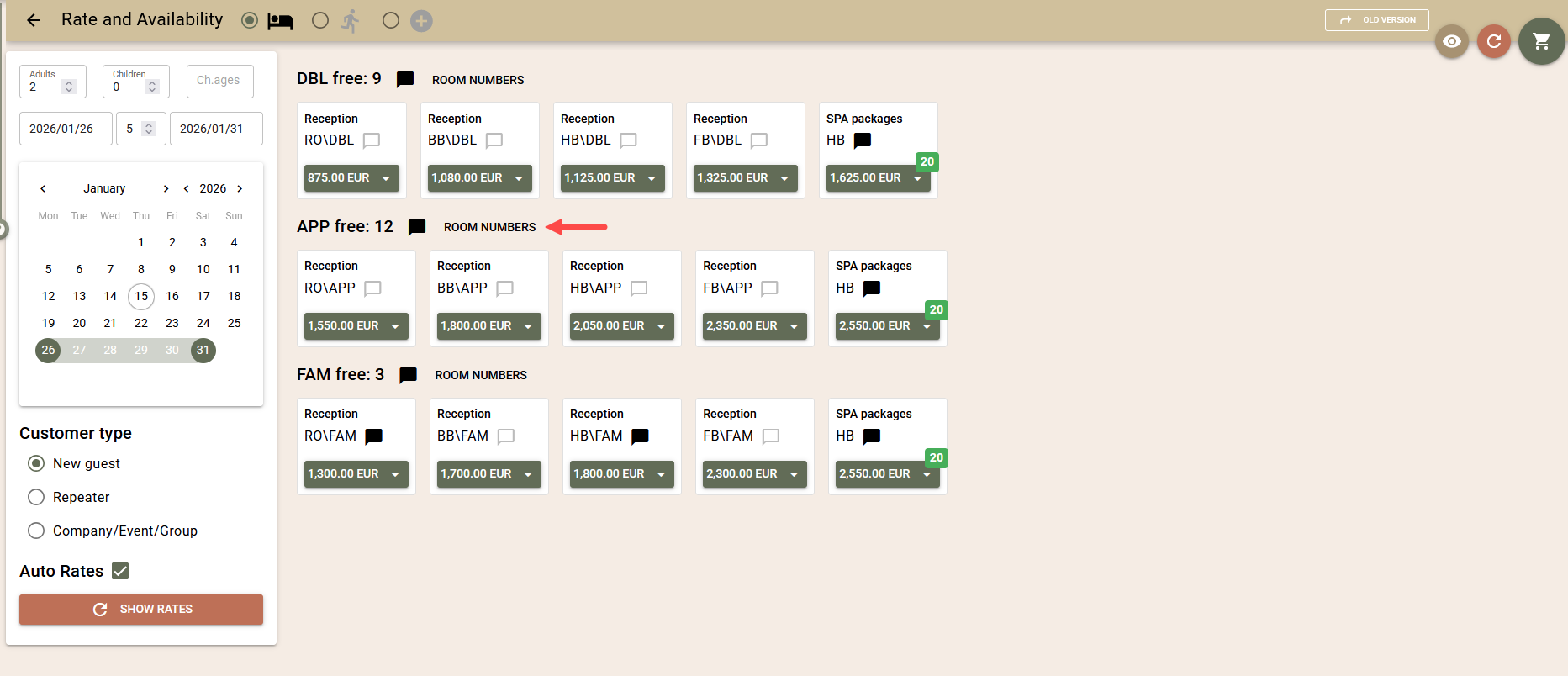
- Select the room or rooms you wish to book;
- Click on the price button of the respective product to add the bookings to the cart.
Filtering Results
Available Products
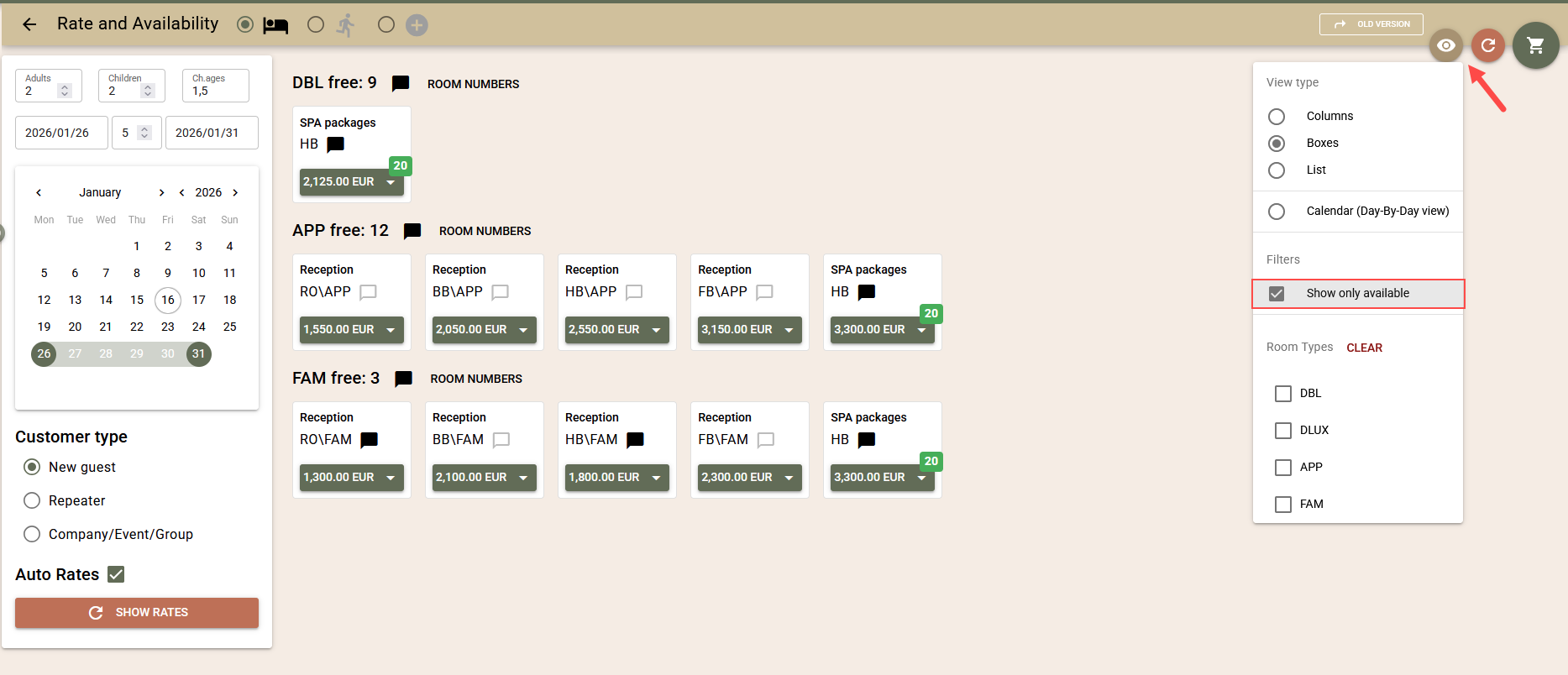
You can limit the list to only products that are available for booking, according to the specified criteria:
- Select the button with the „eye“ icon in the top right corner;
- Activate the „Show only available“ option. The setting is saved for the station from which it is activated.
Room Type
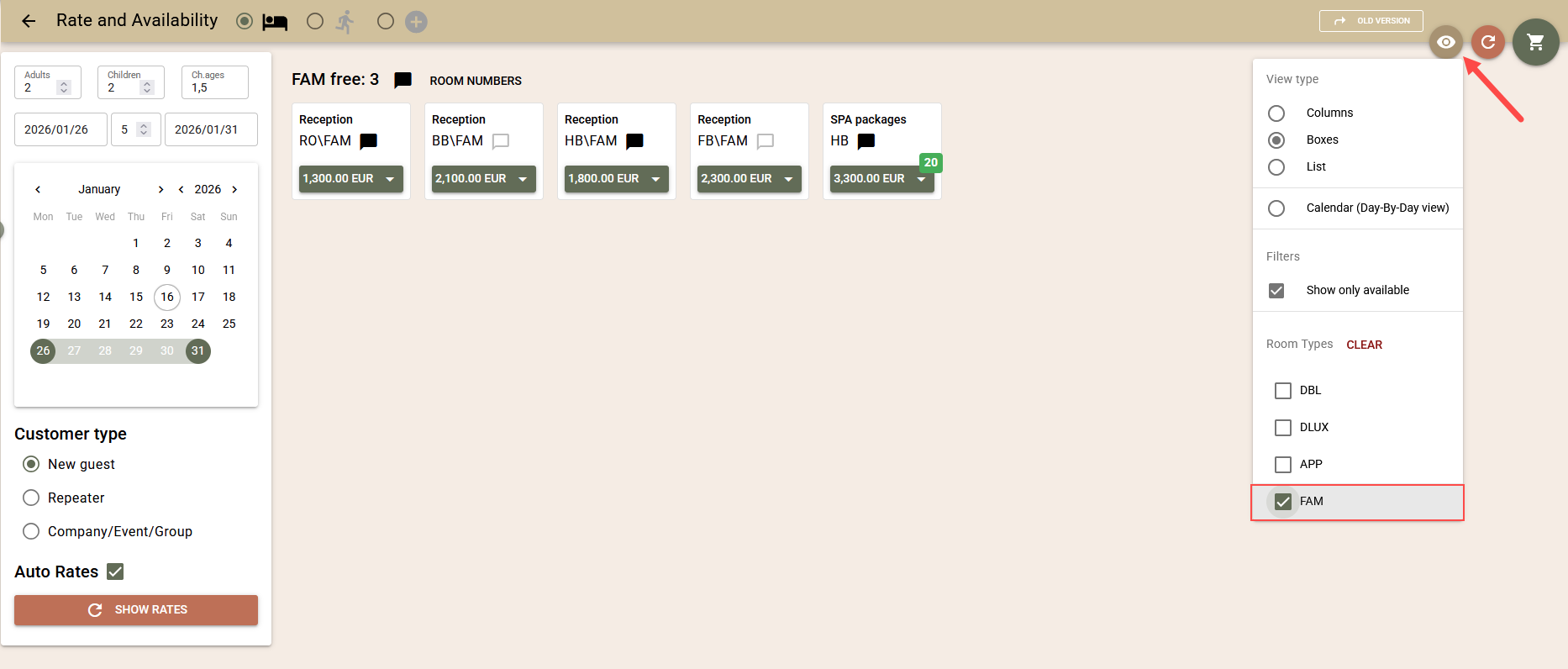
You can filter products by room type:
- Select the button with the „eye“ icon;
- Select the room type or types that interest you;
- If the products are already loaded, the filter applies immediately. Otherwise, use the „Show rates“ button.
Views
The screen supports several different views, which you can switch between as needed. By default, the compact view is loaded, which displays each product in a box with its price.
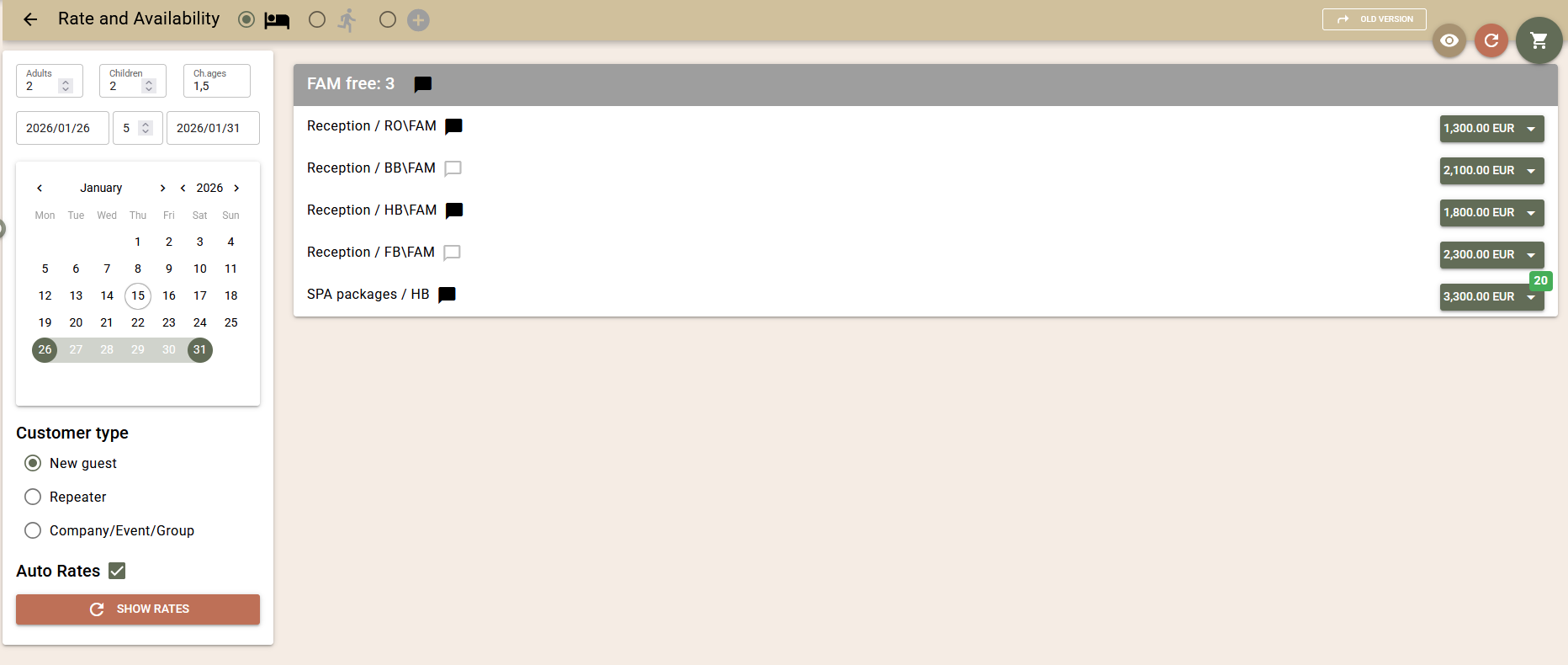
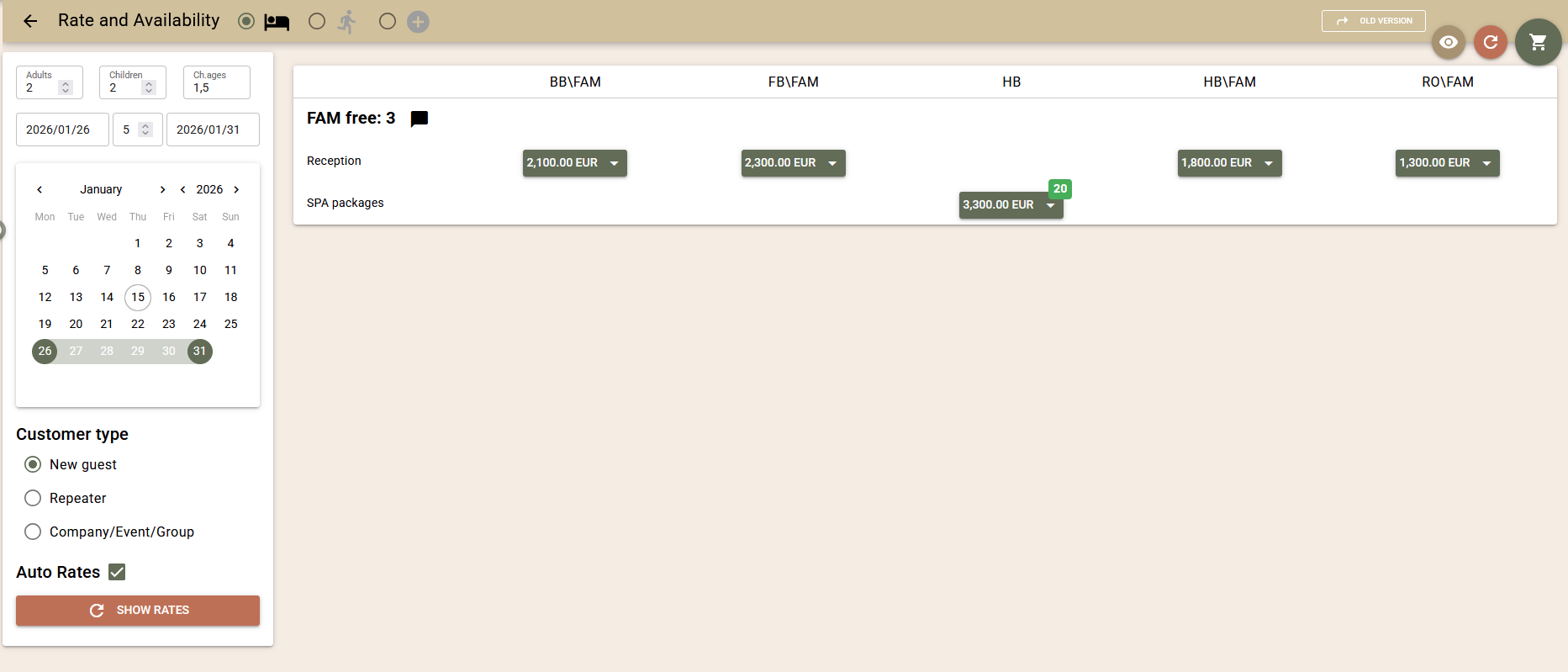
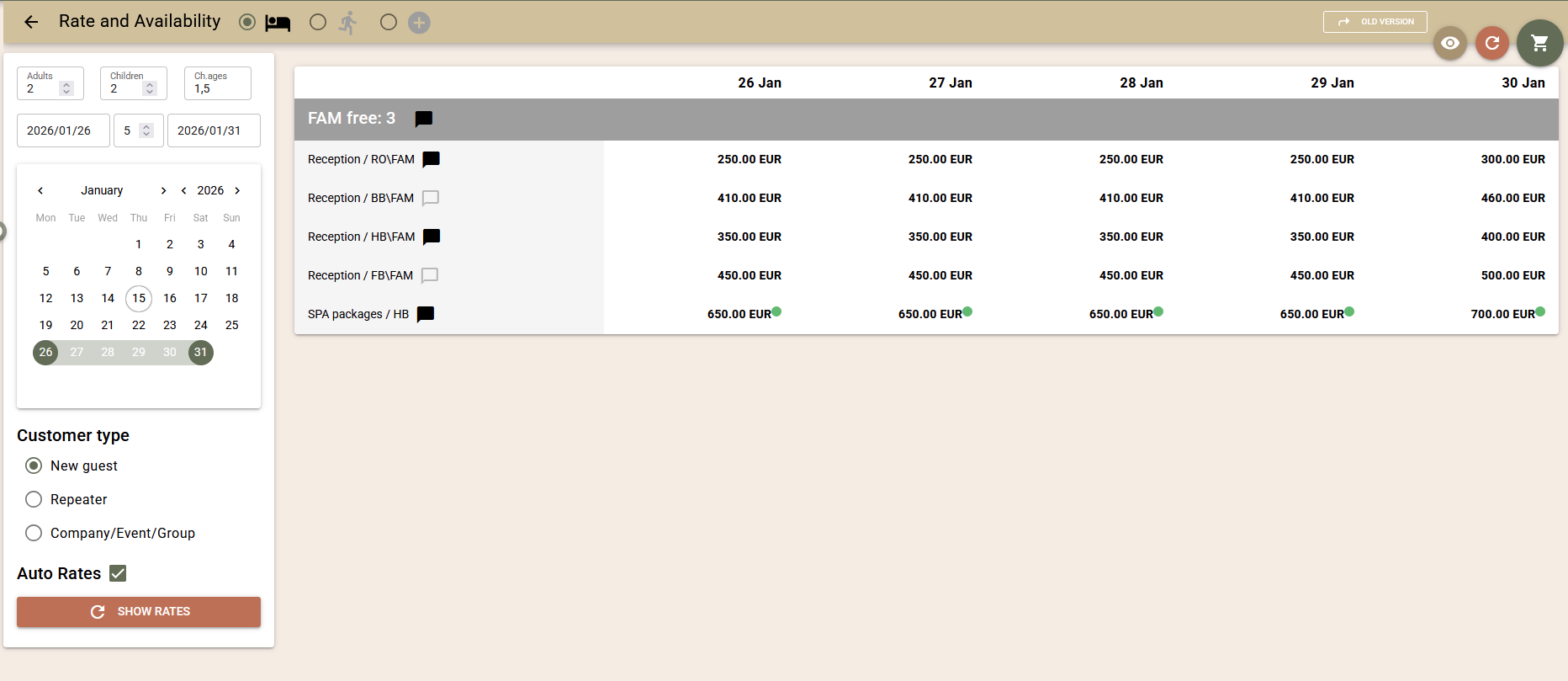
Using the button with the „eye“ icon in the top right corner, you can select additional views:
- List – each rate is on a separate line;
- Columns – suitable for unified rate names (RO, BB, HB, etc.);
- Calendar – a detailed view by day. Requires screen reload and displays only daily prices, without booking options.
The last selected view is remembered for the device.
Other
For easier and more informed booking, the screen provides additional tooltips with useful information:
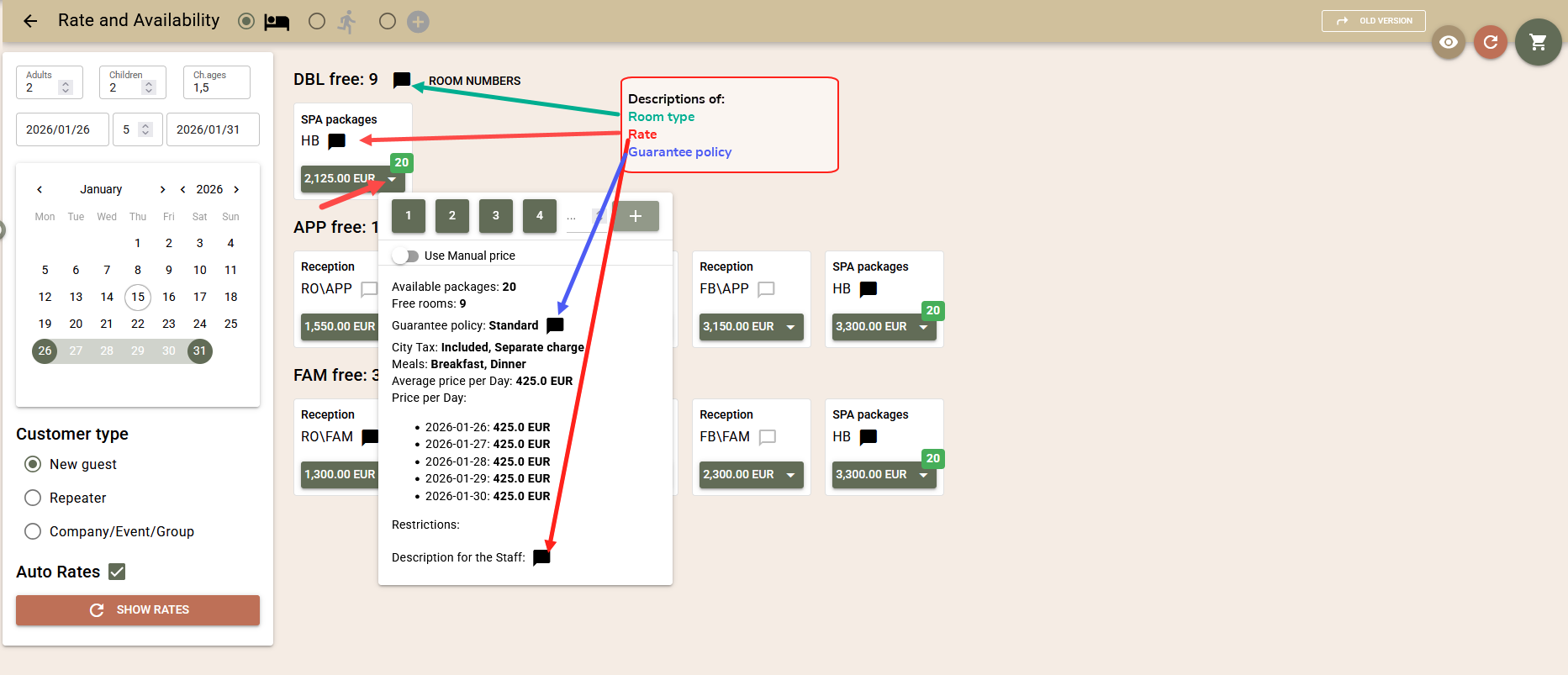
- Staff descriptions for room type, rate, and guarantee policy;
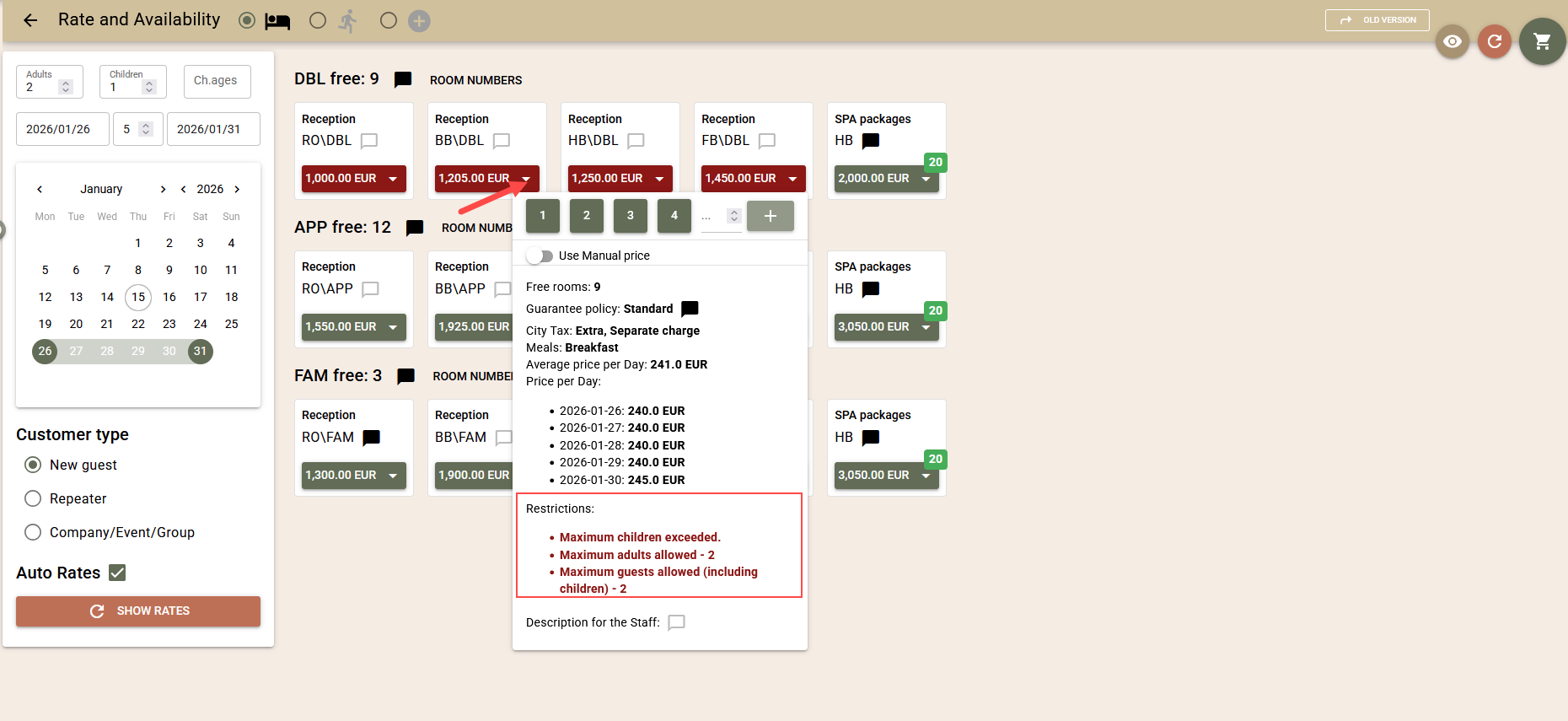
- Visibility of activated restrictions;
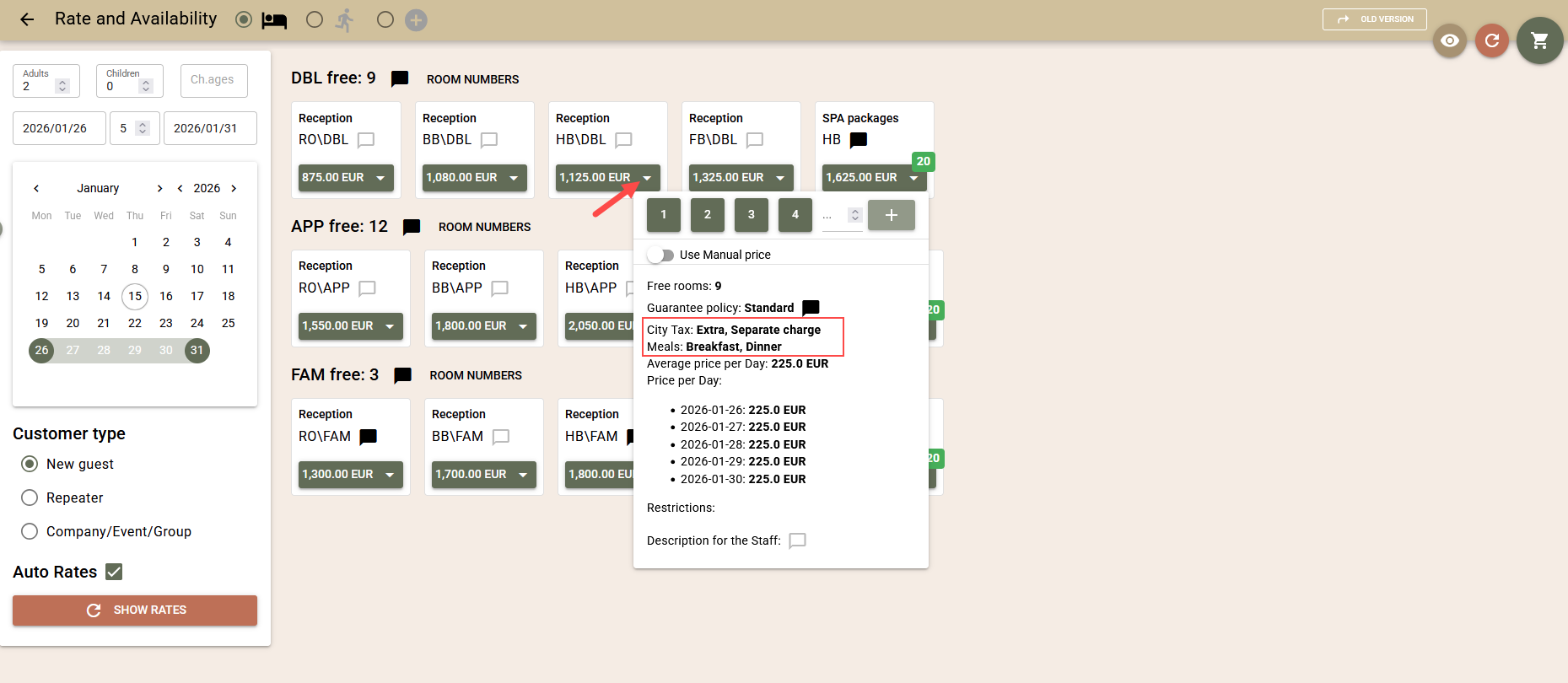
- Information on the city tax and board mode valid for the rate;
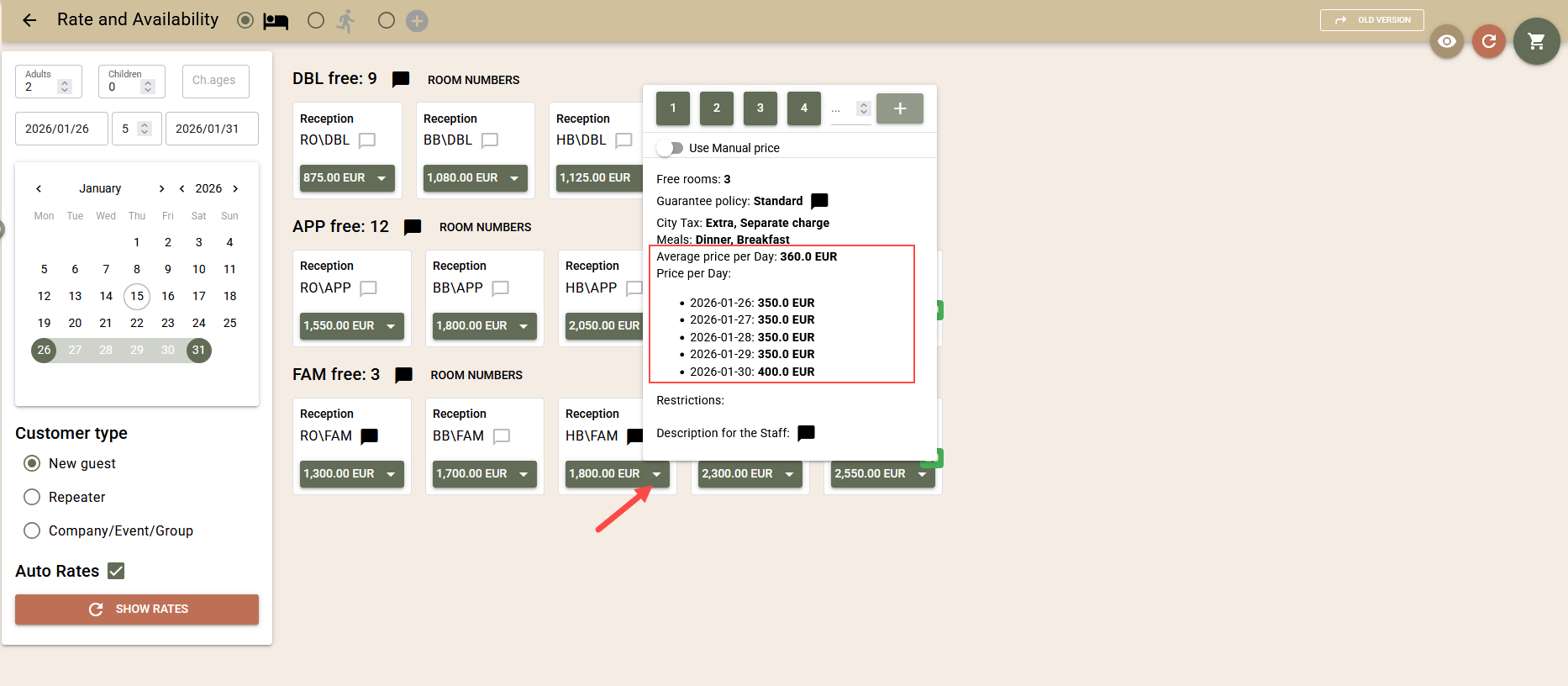
- Information on daily prices and the average price per day for the entire stay;
- Indication of available packages for booking, controlled by a capacity counter.