Introduction
As of January 1, 2026, all business-to-business (B2B) invoices between VAT-registered entities in Belgium must be sent and received electronically via the Peppol network.
How the Peppol Network Works
Peppol (Pan-European Public Procurement On-Line) is a standardized network designed for the secure and efficient exchange of electronic documents. Originally developed for use across Europe, Peppol is increasingly being adopted by countries outside the continent, becoming a global leader in e-invoicing and digital procurement.
Peppol operates using a four-corner model. In this structure, each trading partner (sender and receiver) connects to the network through a certified Peppol Access Point (AP) - gateway. When a document is sent, it passes securely through the sender’s AP, across the Peppol network, and is delivered by the recipient’s AP to their business system. This model ensures interoperability, security, and standardization across borders and systems.
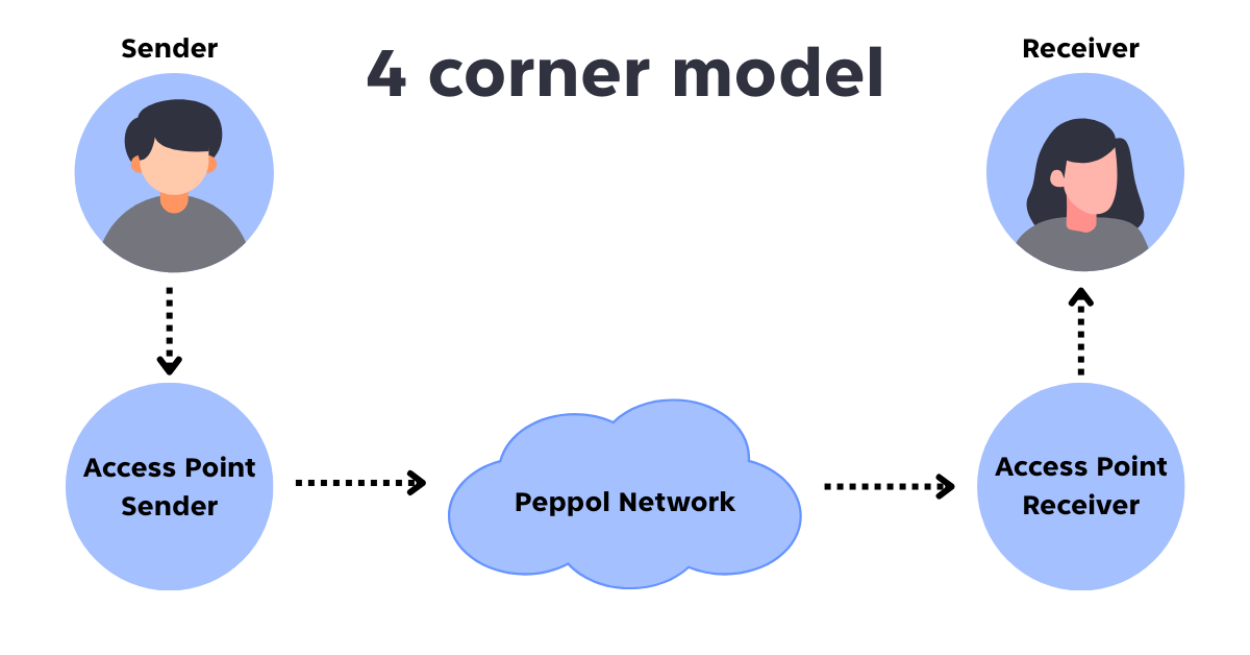
Prepere your Billit account
As we already mentioned, sending documents through the PEPPOL network requires the use of a PEPPOL Gateway. For this purpose, we have chosen to work with one of the leading PEPPOL Gateway providers — Billit.eu.
To send documents, you will need a Billit account, and you can create one right away here:
Once your Billit account is ready here are the details you will need from it for the Clock Hospitality Cloud configurations.
Log in to your Billit account
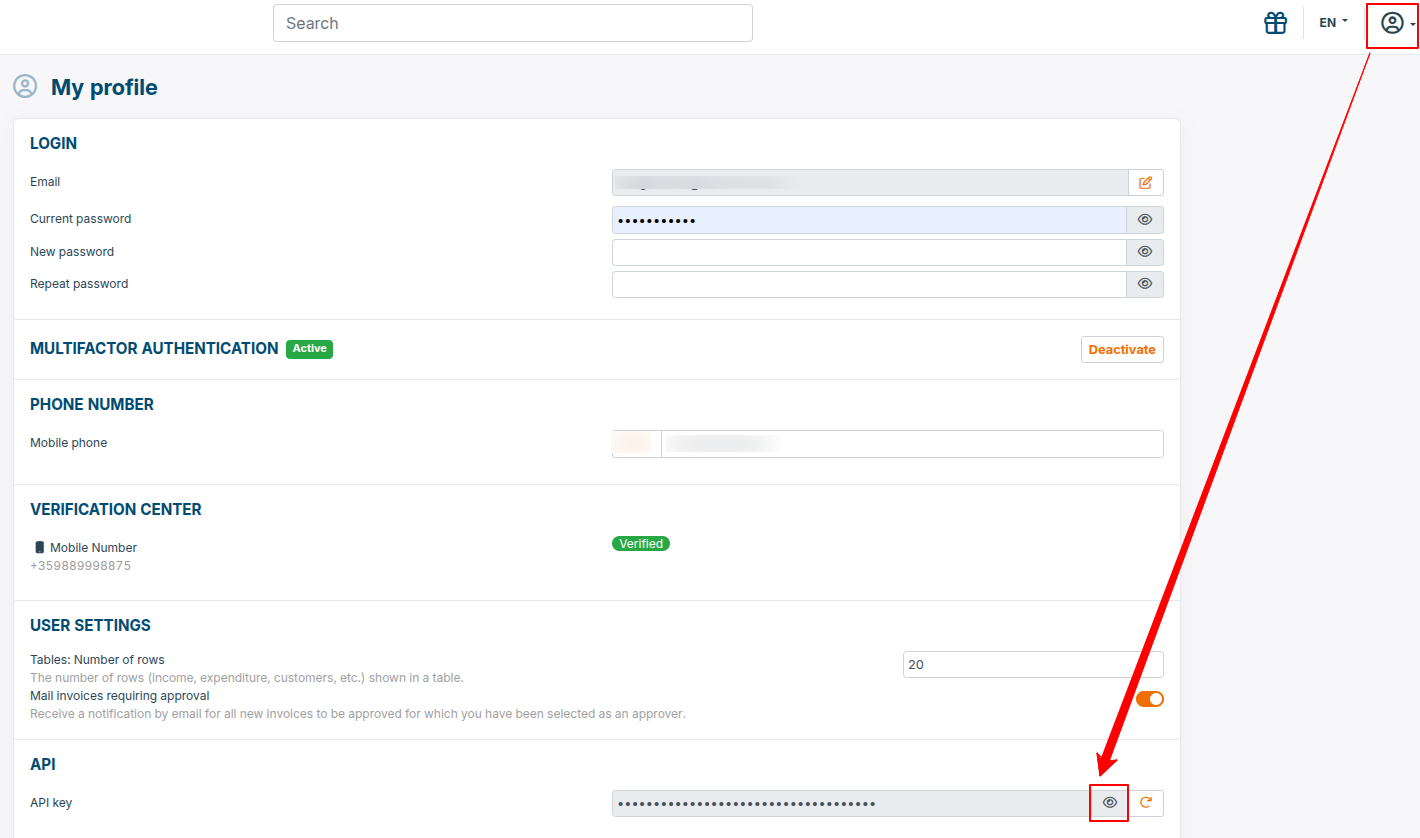
- API Key. Collect your API key as show bellow:
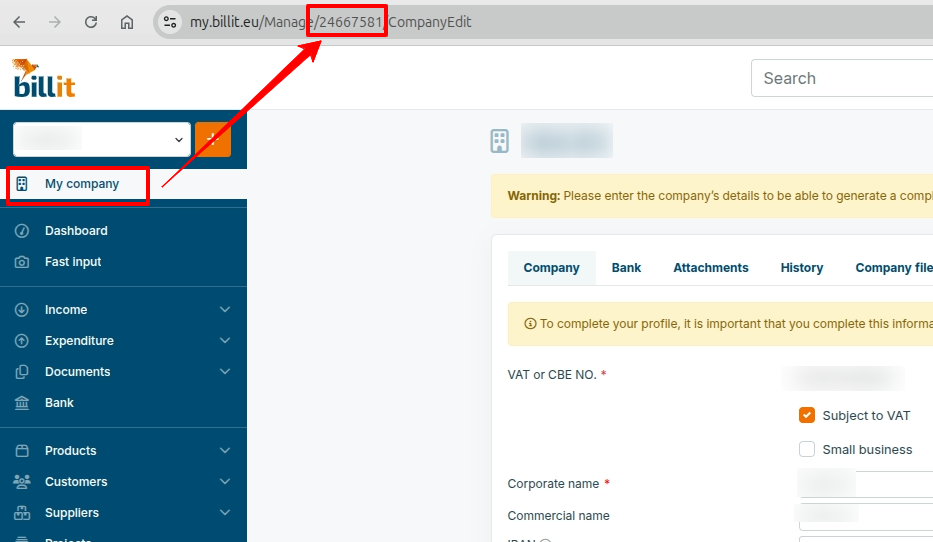
- Party ID. Collect your Party ID as show bellow:
Activation
Activate the integrarion from AppConnector(Settings > AppConnector) under "e-Invoicing" category.
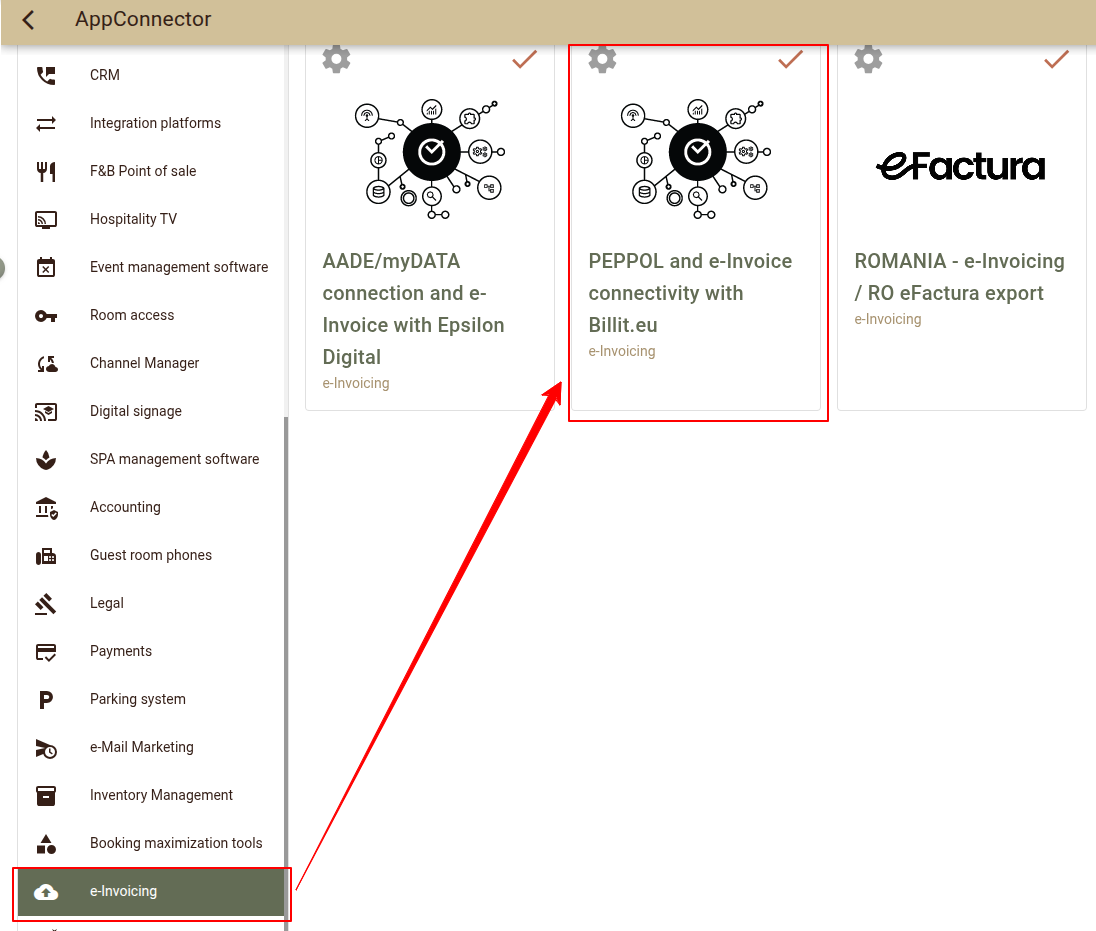
Once the integration is activated open Settings.
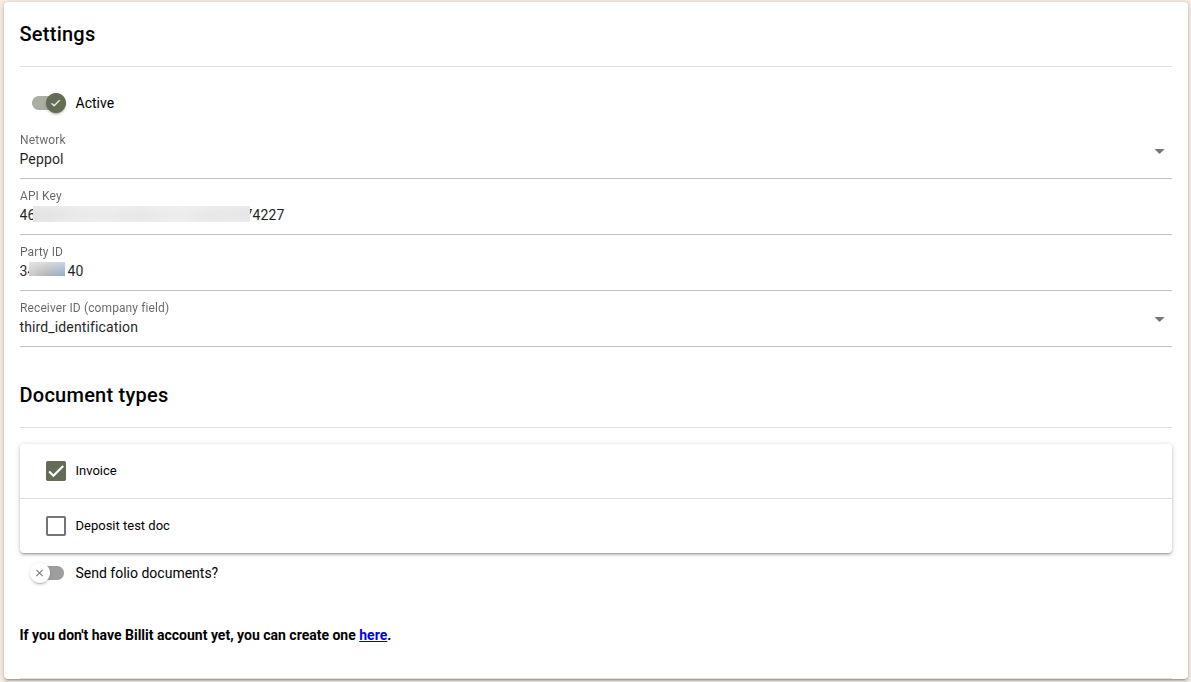
- Active - Select this option to activate the interface and enable document sending.
- Network - Select PEPPOL
- API key - Paste here your Billit API key.
- Party ID - Paste here your Billit Party ID.
- Receiver ID (company field)* - Select third_identification The value from this company field will be used to populate the PEPPOL Receiver ID
- *Important notes for Belgium:
- In Belgium, the PEPPOL Receiver ID is the VAT identification number of the Belgian entity.
- To send documents via PEPPOL, the Third Identification field of the company must be filled with the VAT number before the folio is closed.This allows you to control which companies receive documents via PEPPOL and which do not.
- If the Third Identification field is empty, the folio will not be processed and will need to be reissued if it should be sent via PEPPOL.
- The Third Identification field must contain only letters and numbers.
Spaces, dots, or special characters are not allowed. - The Third ID is validated before the document is sent, and only documents for companies with a valid Receiver ID will be exported.
- *Important notes for Belgium:
- Document types - Select the document types which should be sent via PEPPOL. If the folios closed without a document type (Close as Folio option) should be exported, enable "Send folio documents?";
Use
Once configured you can have your documents sent to their recipients.
The documents are processed in batches every hour. The following documents will be processed:
- The document should be closed with a document types enabled in the configurations.
- The configured Third ID field for the customer must be filled in. This is how you configure which customers will receive e-Invoices and which not.
An overview of the processed documents as well as their status (successful or not) are available in the Audit logs (Settings -> AppConnector -> PEPPOL and eInvoice connectivity with Billit.eu > Settings > logs).